// Polarity vs phase
Polarity vs Phase: What the Ø Button Really Does
The Ø button flips polarity, not phase. What that means for a kick and a bass, how it compares with a phase rotation and a time shift, and when each one is the right fix.
Short answer
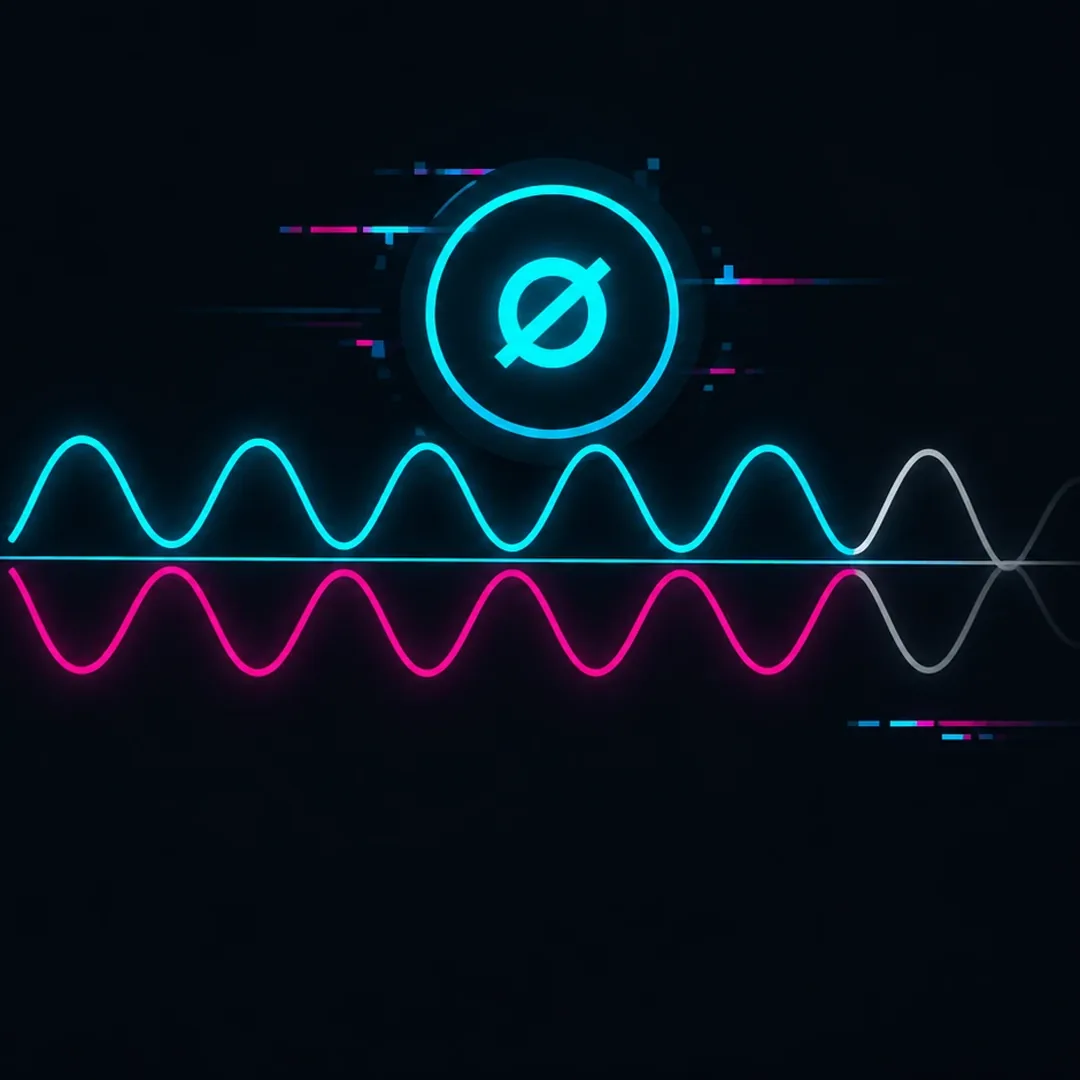
Polarity is the direction of a waveform; flipping it with the Ø button turns it upside down, a 180° change at every frequency with no change in timing. Phase is the angle between two signals at a given moment, and it can be anything from 0° to 180°, different at each frequency and on each beat. The Ø button fixes kick and bass only when the error really is 180°.
Key takeaways
- The Ø button flips polarity: exactly 180°, every frequency, nothing moves in time.
- Phase can be any angle, and on a moving bassline it changes from beat to beat.
- On a rolling psytrance loop every beat needed 121°: a flip gets closer, only a rotation lands on it.
// How to
Three Steps, One Click
When the angle is not 180°, a rotation per beat does what the Ø button cannot. This is how the plugin sets it.
-
Step 01
Load it on the kick and the bass
Drop one instance on the kick channel and set it to Kick. Drop a second one on the bass channel; it links to the kick.
-
Step 02
Pick the bars, click AUTO MIX
Choose 1, 2 or 4 bars, play the loop and click AUTO MIX. Every beat is measured and the bass phase is rotated to fit the kick.
-
Step 03
Read the angle of each beat
Each cell shows the rotation and the time shift for one beat. Click a cell to edit that beat alone, and flip A/B to compare.
Any angle, measured on every beat, without moving the notes in time.
See the pluginAlmost every DAW and mixer has a small button marked Ø, often labeled phase invert. Producers press it when kick and bass sound thin together, and sometimes it helps. But that button does not change the phase in the way most people think. It flips the polarity, and polarity and phase are two different things.
Knowing the difference saves a lot of guessing in the low end. This guide explains what the Ø button really does, what phase actually means for a kick and a bass, how a polarity flip compares with a phase rotation and a time shift, and when each one is the right tool.
Polarity vs Phase: The Short Answer
- Polarity is the direction of the waveform. Flipping it turns every push into a pull and every pull into a push. Nothing moves in time, and every frequency changes by exactly 180°.
- Phase is where a wave is in its cycle at a given moment, measured in degrees. Two signals can be anywhere from 0° (adding up) to 180° (cancelling) apart, and the angle can be different at every frequency and on every beat.
So a polarity flip is one very specific phase change: 180°, at every frequency, for the whole track. Phase covers every other angle too.
What the Ø Button Really Does
The Ø button multiplies the signal by minus one. A kick that starts with the speaker pushing out now starts with the speaker pulling in. The waveform is mirrored around the center line, but every peak stays exactly where it was in time.
On its own, a flipped kick or bass sounds the same. You cannot hear polarity on a single track in most cases. What changes is how that track adds up with another one. If the kick and the bass were close to 180° apart in the sub, a flip brings them close to 0° and the low end fills in. If they were already close to 0°, the flip pushes them toward 180° and the low end gets thinner.
Why It Is Called a Phase Button
On a pure sine wave, a polarity flip and a 180° phase shift look identical, so the two words got mixed up on consoles and in DAWs long ago. The label stuck. On real sounds the difference matters, because a kick and a bass are made of many frequencies, and the angle between them changes from one frequency to the next and from one note to the next. A button that only offers 180° cannot follow that.
What Phase Really Means for Kick and Bass
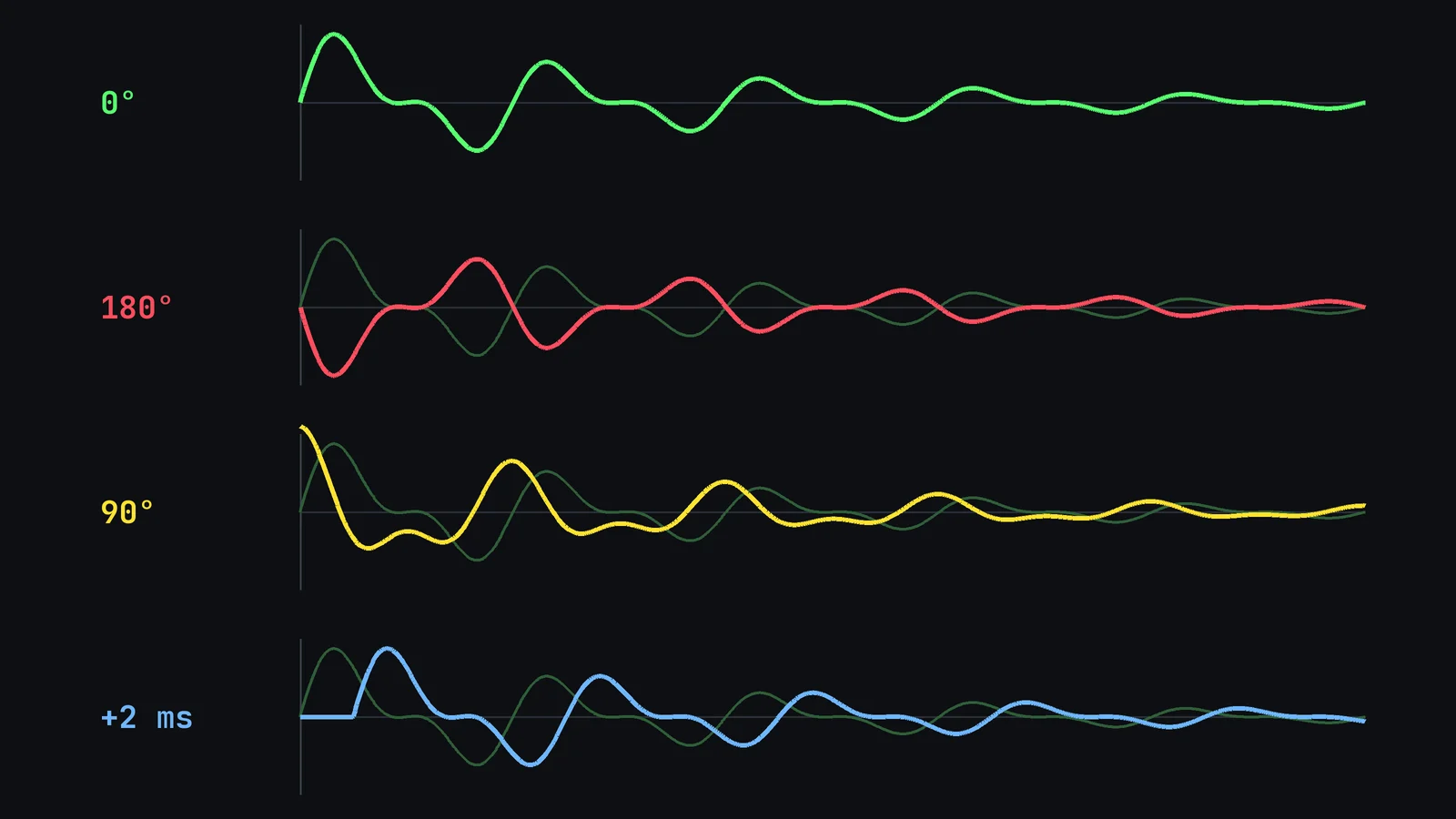
Kick and bass meet in the sub, roughly between 40 and 120 Hz. What matters there is the angle between the kick tail and the bass note at the moment they overlap. Near 0°, they add up and the hit feels solid. Near 180°, they cancel and the kick loses weight. Anything in between gives a partial loss.
Time and phase are linked, but not in a simple way. The same delay is a different angle at every frequency, because the angle depends on how long one cycle lasts:
| Frequency | One cycle lasts | A 1 ms delay equals |
|---|---|---|
| 55 Hz | 18.2 ms | 19.8° |
| 110 Hz | 9.1 ms | 39.6° |
| 220 Hz | 4.5 ms | 79.2° |
That is why nudging the bass in time is a blunt tool. A delay of about 9.1 ms puts a 55 Hz note at 180°, but a 110 Hz note at a full 360°, which is back in phase. One delay can fix one note and break the next.
Polarity Flip vs Phase Rotation vs Time Shift
These are the three moves producers use, and they do different things:
| Move | Angle | Timing | Same at every frequency? |
|---|---|---|---|
| Polarity flip (Ø) | 180° only | Unchanged | Yes |
| Phase rotation | Any angle you choose | Unchanged | Depends on the tool: constant on some rotators, varying on all-pass filters |
| Time shift | Depends on frequency | Every note moves | No |
A phase rotator is the tool the Ø button pretends to be. It shifts the angle without moving the notes, and you can stop at 30°, 90° or 121° instead of jumping straight to 180°. Seen this way, the polarity flip is simply a rotation that only knows one setting.
// Ø button vs Phase rotation
The Ø Button vs Phase Rotation
| Ø button | Phase rotation | |
|---|---|---|
| Angle | 180° only | Any angle, measured per beat |
| Groove | Unchanged | Rotation only, 0 ms shift |
| Moving basslines | One setting for every note | Measured per beat, shown in a cell |
| Best for | Inverted layers, DI and amp, mic pairs | Synth basses that move under the kick |
| Cost | Free, in every DAW | A plugin built for kick and bass |
| Control | On or off | Every beat editable, A/B to compare |
When the Polarity Button Is the Right Fix
The Ø button is fast, free and exact, so it is the right tool whenever the problem really is 180°:
- Layered kick samples where one layer is upside down compared with the other.
- A bass recorded twice, with a DI and an amp mic, where one signal arrives inverted.
- A drum mic facing the opposite way, like a snare bottom mic against the top mic.
- A static bassline where the same note sits under every kick and happens to be close to 180° away.
In all of these, the error is the same everywhere, so one flip fixes all of it. Flip, listen in mono, and keep whichever version has more weight.
When You Need Phase Rotation Instead
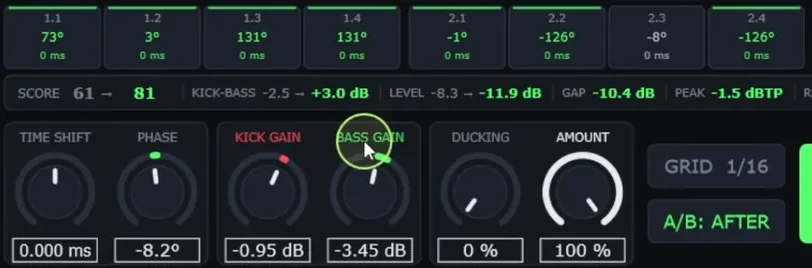
Most kick and bass problems in electronic music are not 180°. On a rolling psytrance loop from my own productions, Kick & Bass Auto Mix set a rotation of 121° on every beat. A polarity flip would have moved it to 59° away, which is better than 121° but still far from aligned. Only a rotation lands on the right angle.
When the bass moves under the kick, it gets harder. On a 2-bar rolling techno loop, the rotations per beat were 115°, 28°, 0°, −8°, 28°, 28°, 28° and 0°. No beat needed 180°, so the Ø button would have helped beat 1 a little and made every other beat worse. This is where per-beat alignment comes in, covered in How to Align Kick and Bass Phase in One Click. A comparison of every free and paid way to do it is in Best Ways to Align Kick and Bass Phase (Free and Paid).
// Hear it
A Rotation, Not a Flip
Press play and flip between BEFORE and AFTER on a rolling psytrance loop. AFTER rotates the bass phase on every beat, with the levels matched, by an angle no polarity button can set.
How to Test Polarity and Phase on Kick and Bass
- Solo kick and bass together in mono, with a low-pass around 150 Hz so you only hear the part that clashes.
- Press Ø on the bass and compare at the same level. Note which version has the fuller hit.
- If neither version is clearly better, the angle is probably somewhere between 0° and 180°. Try a phase rotator and sweep it slowly while the loop plays.
- Listen to every beat, not only the first. If the best setting changes from beat to beat, one fixed angle will always be a compromise.
- Do not use a time shift as a phase fix unless the bass is actually late or early. It moves the groove and changes the angle differently at every frequency.
The full step-by-step process, from mono check to club level, is in How to Fix Phase Issues Between Kick and Bass, Step by Step.
Common Myths About the Ø Button
- “It changes the phase.” It changes the polarity. The only phase change it can make is 180°, at every frequency at once.
- “If it sounds better flipped, the phase is fixed.” It is less wrong. The real angle may still be far from 0°.
- “You can hear polarity on one track.” In most cases you cannot. You hear it when two related signals add up.
- “A small delay is the same as a phase shift.” A delay is a different angle at every frequency and moves every note in time.
Once kick and bass add up, the next step is giving the kick room with a sidechain that follows it, explained in Automatic Sidechain for Kick and Bass, Synced to Tempo.
// Short clips
Phase Rotation in Short Clips
Short clips of the plugin setting the angle of every beat on real loops.
// FAQ
Questions, answered
Is the Ø button a phase button or a polarity button?
A polarity button. It multiplies the signal by minus one, which is the same as a 180° phase change at every frequency. It is often labeled phase invert, but it cannot set any other angle.
Can you hear polarity on a single track?
In most cases, no. A flipped kick or bass on its own sounds the same. You hear polarity when two related signals add up, like a kick and a bass in the sub, or two mics on the same source.
Is a polarity flip the same as a 180° phase shift?
On a pure sine wave, they look identical. A polarity flip is a 180° change at every frequency at once. A phase rotator can be set to 180° too, but it can also stop at any other angle, which is what most kick and bass problems need.
Should I flip the polarity of the kick or the bass?
For the sum of the two, it does not matter which one you flip. Most producers flip the bass, so the kick keeps the same direction as the rest of the drums and any parallel or layered kick tracks.
Why does flipping polarity sometimes make the low end worse?
Because the kick and the bass were closer to 0° than to 180° before the flip. The flip moves them toward 180°, where they cancel. If neither version is clearly better, the real angle is somewhere in between and needs a rotation.
Is a time delay a good way to fix phase?
Rarely. A delay is a different angle at every frequency: 1 ms is 19.8° at 55 Hz but 39.6° at 110 Hz. It also moves every bass note in time. Use it only when the bass is really early or late.
// Kick & Bass Auto Mix
Align Kick and Bass on Every Beat
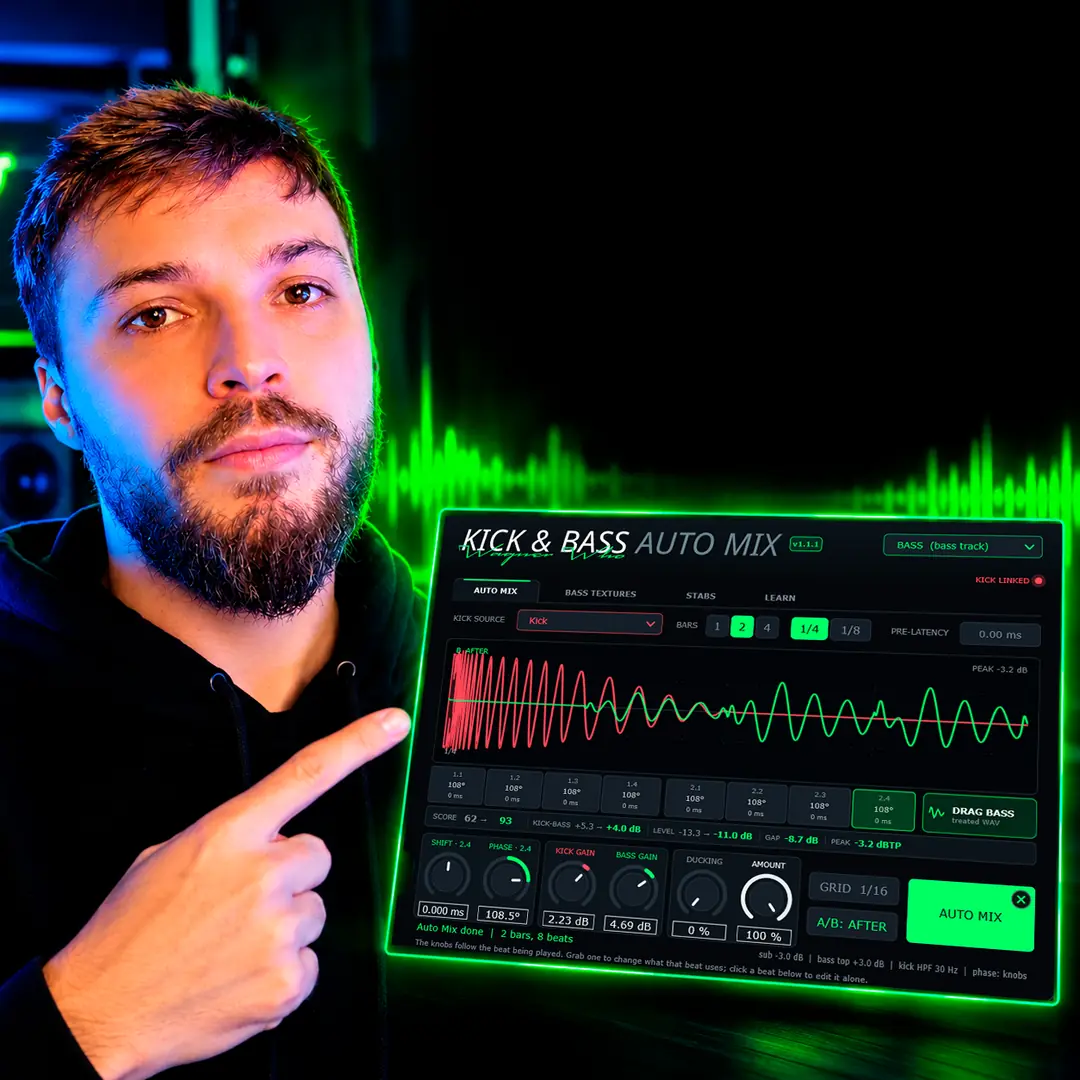
Kick & Bass Auto Mix measures each beat and rotates the bass phase to fit the kick, without moving the groove.
See the plugin
// About the author
// Keep reading