
// Phase fix
How to Fix Phase Issues Between Kick and Bass, Step by Step
A six-step method for any DAW: from the polarity flip to a different angle on every beat, with what to listen for at each step.

Short answer
To fix phase issues between kick and bass, solo both in mono with a low-pass at 150 Hz, flip the bass polarity and compare, then sweep a phase rotator to the fullest angle. Check every beat, since the best angle changes with the bass notes, and re-check after the sidechain and in mono.
Key takeaways
- Polarity has two positions; the best angle is often between them.
- The angle changes when the bass changes notes: check every beat.
- Rotate the phase, never shift the bass in time: the groove stays where it is.
// How to
Steps 2 to 5 in One Click
Steps 2 to 5 of this guide, done in one pass by the plugin on the bars you pick.
-
Step 01
KICK on the kick, BASS on the bass
One instance per track. The BASS instance listens to both and finds the rotation for every kick.
-
Step 02
Choose the bars, press AUTO MIX
Loop 1, 2 or 4 bars and press AUTO MIX. Every beat gets its own angle, with no time shift.
-
Step 03
Compare on the same beat
Flip A/B: the kick track switches on the same beat. Keep it, lower AMOUNT or undo with the X.
Kick & Bass Auto Mix finds the angle of every beat and fixes it without moving the groove.
See the pluginThe kick hits hard on its own. The bass sounds big on its own. Play them together and the low end goes hollow: the kick loses its weight, the sub seems to drop a few dB, and on a mono club system it gets worse. Nothing is clipping and the meters look fine. That is a phase problem between kick and bass.
This guide is a method you can follow in any DAW, in six steps, from the simplest check to the one most producers skip. Each step tells you what to listen for and what to change. At the end you will see which steps can run on their own, and what stays your call.
How to Tell If Kick and Bass Are Out of Phase
Kick and bass share the same octave. The tail of most kicks settles between 45 and 65 Hz, right where the bass lives. When the two waves move in opposite directions at the same moment, they cancel; when they move together, they add up. You hear the result, not the cause:
- The low end gets thinner when both play than when either plays alone.
- The kick sounds weaker in the mix than in solo, even though its fader did not move.
- Some beats hit and others vanish, as if the kick changed from beat to beat. That is usually the bass changing notes under it.
- Mono makes it worse. Phone speakers, club systems and many PA subs play the low end in mono, so cancellation that hides in stereo comes out there.
If you notice one of these, the six steps below will show you where it comes from.
// Try it
Turn the phase, watch the sub
Red is the kick, green is the bass, cyan is what your speaker plays. Turn the bass phase and see the low end grow or vanish.
Simplified model: one kick hit over a steady bass note at the same pitch.
How to Fix Phase Issues Between Kick and Bass in 6 Steps
Step 1: Solo Kick and Bass in Mono, Low-Passed at 150 Hz
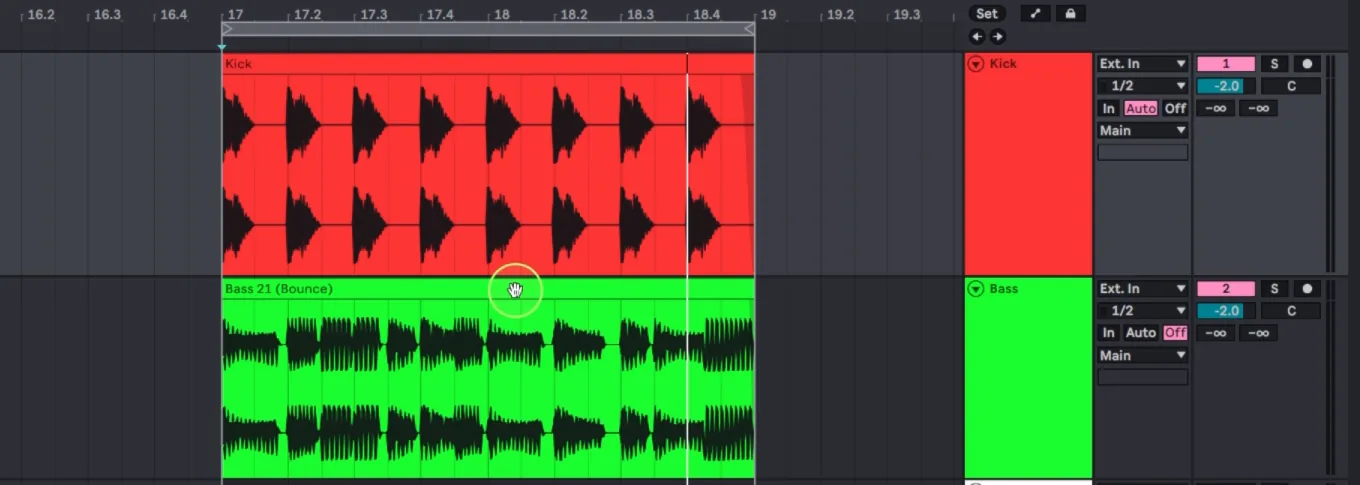
Mute everything except the kick and the bass. Put a utility or mono plugin on the master (or on a group with both tracks) to hear them in mono, and add a low-pass filter at 150 Hz. Now you only hear the zone where they fight. Keep the level moderate and loop one or two bars of the drop, where the bassline is busiest under the kick.
This step removes everything that can fool your ears: hats, pads, reverb and the stereo width of the bass. If the low end sounds full here, your problem is elsewhere. If it sounds hollow, keep going.
Step 2: Flip the Bass Polarity and Compare
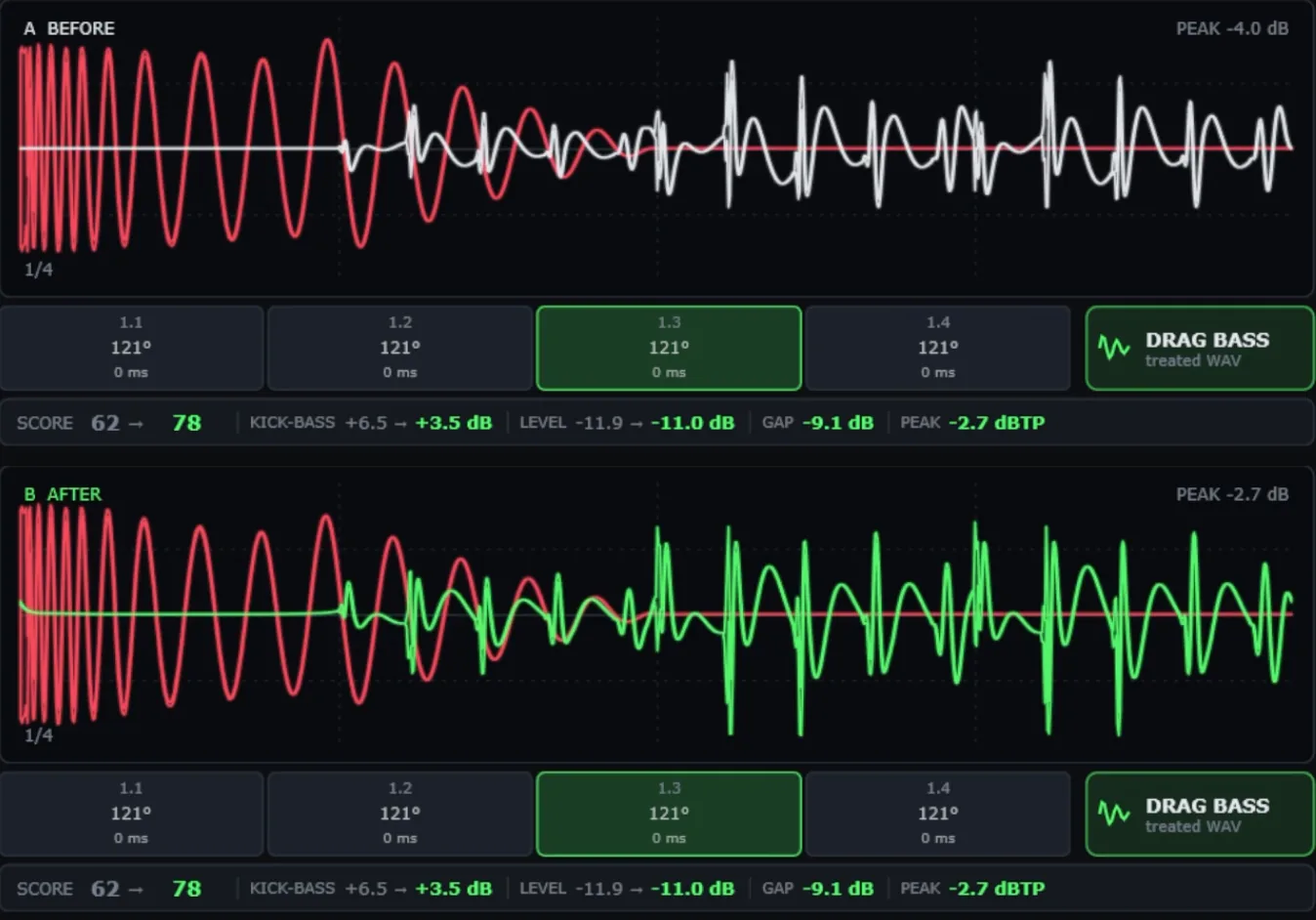
Use the polarity (phase invert) button on the bass: Utility in Ableton Live, the Gain plugin in Logic Pro, or the polarity switch on the mixer channel in most DAWs. Flip it, then flip it back, and listen to the same beat each time. Keep the version where the low end sounds fuller and the kick hits harder.
Polarity is the quickest fix and sometimes the whole fix. But it only has two positions, 0° and 180°. If the best angle for your loop is 70° or 120°, both positions are wrong, just in different ways. That is what step 3 is for.
Step 3: Sweep a Phase Rotator on the Bass
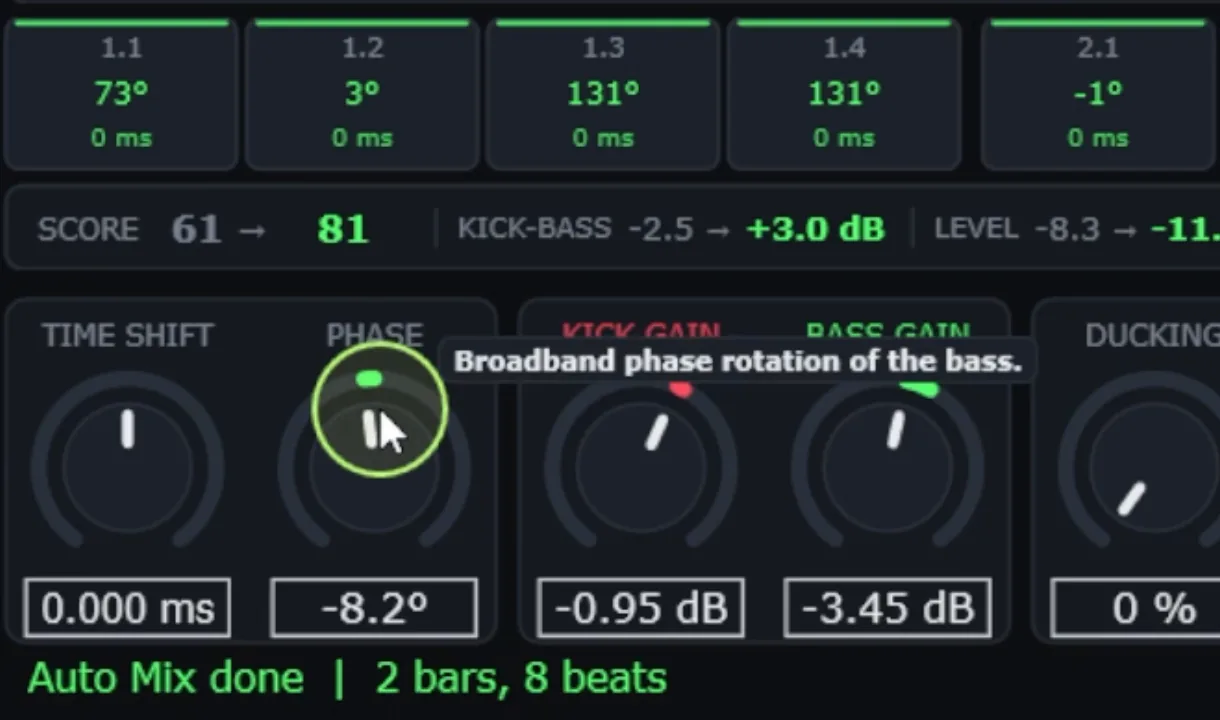
A phase rotator (an all-pass filter) turns the phase of the bass by any angle, without moving it in time. Put one on the bass, still in the soloed, mono, low-passed setup, and sweep slowly from 0° to 360°. The low end will grow and shrink as you turn. Stop where it is fullest and the kick still punches through.
Two rules make this step work. Sweep while the loop plays, not with the transport stopped. And change only the bass: rotating the kick changes its attack, which is usually the part you want to keep.
Step 4: Check the Phase on Every Beat, Not Just One

Here is where most phase fixes fail. The angle you found in step 3 is right for one beat. When the bass plays a different note under the next kick, the two waves meet at a different point, so the best angle changes. A rolling or melodic bassline can need a different angle on almost every beat.
On a high-tech minimal loop at 125 BPM, the best rotation for each of the 8 beats was 73°, 3°, 131°, 131°, −1°, −126°, −8° and −126°. One fixed setting would fit two beats and fight the others. On a psytrance loop at 142 BPM, where the bass repeats the same pattern under every kick, all four beats wanted the same 121°. Listen beat by beat. If they disagree, you need either a compromise angle (the one that hurts the fewest beats) or a different angle per beat, with automation or a tool that does it.
Step 5: Check Kick and Bass Phase Again After Sidechain

Sidechain changes the picture. When the bass ducks under the kick, part of the overlap disappears, so the cancellation you heard in step 3 may be smaller, or it may move to the moment the bass comes back. Turn your sidechain on and repeat steps 2 to 4.
Two settings matter most. Duck only the low part of the bass (below about 130 Hz) so the groove above it stays audible, and set the release to the tempo (from 1/16 to 1/4 of a beat), so the bass returns before the next note and not on top of the kick tail. Then check the phase again on that return.
Step 6: Check the Low End in Mono at Club Level

Last check: the whole mix, in mono, at a level close to a club. Many basses are stereo above the sub, and some are stereo below it too. In mono, the left and right sides of a stereo bass can cancel each other before the kick even arrives. Keep the bass mono below about 120 Hz, then listen for the same signs as before: kick weight, sub level and whether every beat lands.
Use proper monitors or a sub if you can, at a safe level and for short moments. Headphones are fine for steps 1 to 5; for this one they hide too much.
Common Mistakes When Fixing Kick and Bass Phase
- Moving the bass in time. Shifting the bass a few milliseconds can line up one beat, but it moves the groove and every note. Rotation changes the phase without touching the timing.
- Trusting one polarity flip for the whole track. It is right for one note at best.
- Judging only in solo. Fix in solo, confirm in the full mix: other tracks change what you hear.
- Checking one beat. The beat you looped is not the whole bassline (step 4).
- Forgetting that EQ moves phase too. A high-pass or a big low shelf on the bass rotates its phase near the cutoff. Re-check after EQ changes below 150 Hz.
- Fixing phase after the master limiter. Do it on the kick and bass tracks, before the bus processing.
Polarity vs Phase Rotation vs Time Shift
| Tool | What it changes | When to use it |
|---|---|---|
| Polarity flip | 0° or 180°, the whole track | Quick test (step 2); the fix only when 180° happens to be the best angle |
| Phase rotation | Any angle, no timing change | The main fix (step 3), per beat when the bass changes notes (step 4) |
| Time shift | Moves the whole bass in time | Rarely: only to fix a real timing offset, never as a phase fix |
// Hear it
Hear a Phase Fix, Nothing Else
Press play and flip between BEFORE and AFTER. Only the phase of the bass changes, with the levels matched, so what you hear is the cancellation going away.
Fix Kick and Bass Phase in One Click: Steps 2 to 5
Steps 2 to 5 are measurable, which means a plugin can run them for you. Kick & Bass Auto Mix listens to the bars you choose, finds the rotation for each kick (step 4) without moving anything in time, sets a sidechain only below 130 Hz with a release synced to the tempo (step 5), and keeps the bass mono below 120 Hz (step 6). A safety rule means no beat can end up cancelling more than 1.5 dB more than your original tracks.
It also sets the levels: the kick about 3 dB over the bass, the pair around −11 dBFS. The full walkthrough, with real before and after numbers, is in How to Mix Kick and Bass Automatically, and the per-beat phase part has its own guide: How to Align Kick and Bass Phase in One Click.
Step 1 and the final listen in step 6 stay yours. A tool can measure the low end, but you decide if it serves the track.
// Watch
Phase Fixed on Real Loops
The same fix in practice: the angle of every beat and the result, on psytrance, techno and a triplet bassline.

Kick & Bass Mixed in ONE CLICK (Phase Alignment, Volume, Sidechain) | Kick & Bass Auto Mix VST3/AU
// Manual vs one click
By Hand vs One Click
| Manual | One click | |
|---|---|---|
| Polarity test | Flip, listen, flip back | Part of the rotation search, 0° to 360° |
| Rotation | Sweep by ear, one angle for the loop | Measured, one angle per beat |
| Timing | Risk of nudging the bass | 0 ms shift, the groove stays |
| Sidechain | Set, then re-check the phase | Below 130 Hz, release synced, checked together |
| Mono | Utility plugin, re-check | Bass mono below 120 Hz |
| Time per loop | From half an hour to an evening | A few seconds, then your ears decide |
// Short clips
Before and After in Short Clips
Short clips of the one-click fix on real loops.
// FAQ
Questions, answered
How do I know if kick and bass are out of phase?
The low end gets thinner when both play than when either plays alone, the kick sounds weaker in the mix than in solo, and some beats hit while others vanish. It usually gets worse in mono. Solo both, sum to mono and low-pass at 150 Hz to hear it clearly.
Is polarity the same as phase?
No. Polarity flips the wave upside down, which equals a 180° turn and nothing in between. Phase rotation turns the bass by any angle, so it can find the 70° or 120° that a polarity button cannot reach.
Should I fix phase before or after the sidechain?
Both. Find the angle first, then turn the sidechain on and check again, because ducking removes part of the overlap and the bass meets the next kick when it comes back.
Why do phase problems get worse in mono?
In stereo, the two sides can hide some cancellation. In mono they are added together, so anything out of phase cancels for real. Club systems, phones and many subs play the low end in mono.
Does EQ change the phase of the bass?
Yes. A high-pass or a big low shelf rotates the phase near its frequency. After an EQ change below 150 Hz on the kick or bass, check the phase again.
Can a plugin fix kick and bass phase automatically?
Yes, steps 2 to 5 can be measured. Kick & Bass Auto Mix finds a rotation for every kick with no time shift, sets the sidechain below 130 Hz and keeps the bass mono below 120 Hz. You still listen and decide.
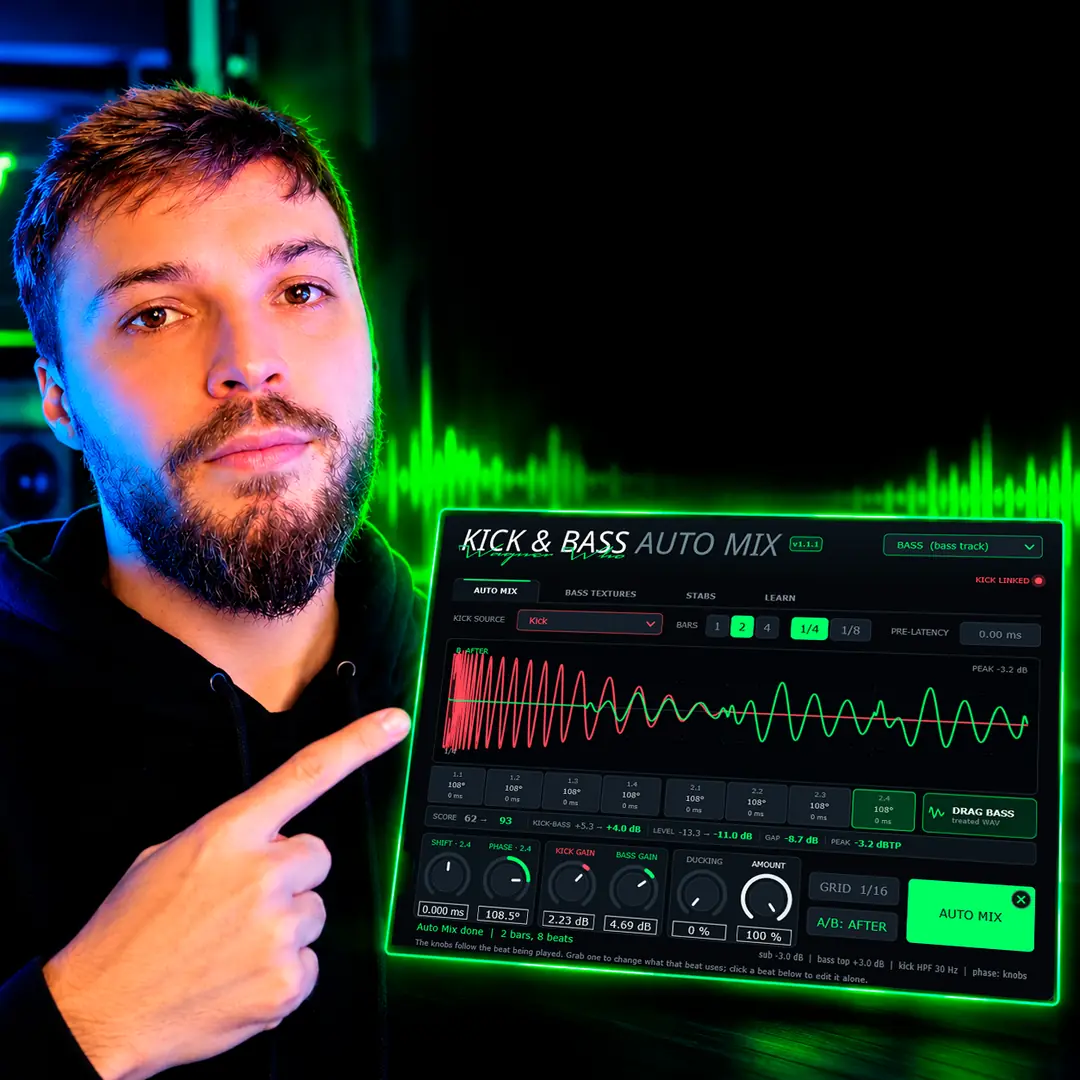
// Kick & Bass Auto Mix
Fix kick and bass phase on every beat
Kick & Bass Auto Mix finds the rotation for each kick, with no time shift, and you keep the final word.
See the plugin
// About the author
// Keep reading

