
// Auto sidechain
Automatic Sidechain for Kick and Bass, Synced to Tempo
Skip the routing: a duck triggered by your real kick, only in the sub, with the release set from the tempo. How it works, how deep it goes on real loops and when to check it by ear.
Short answer
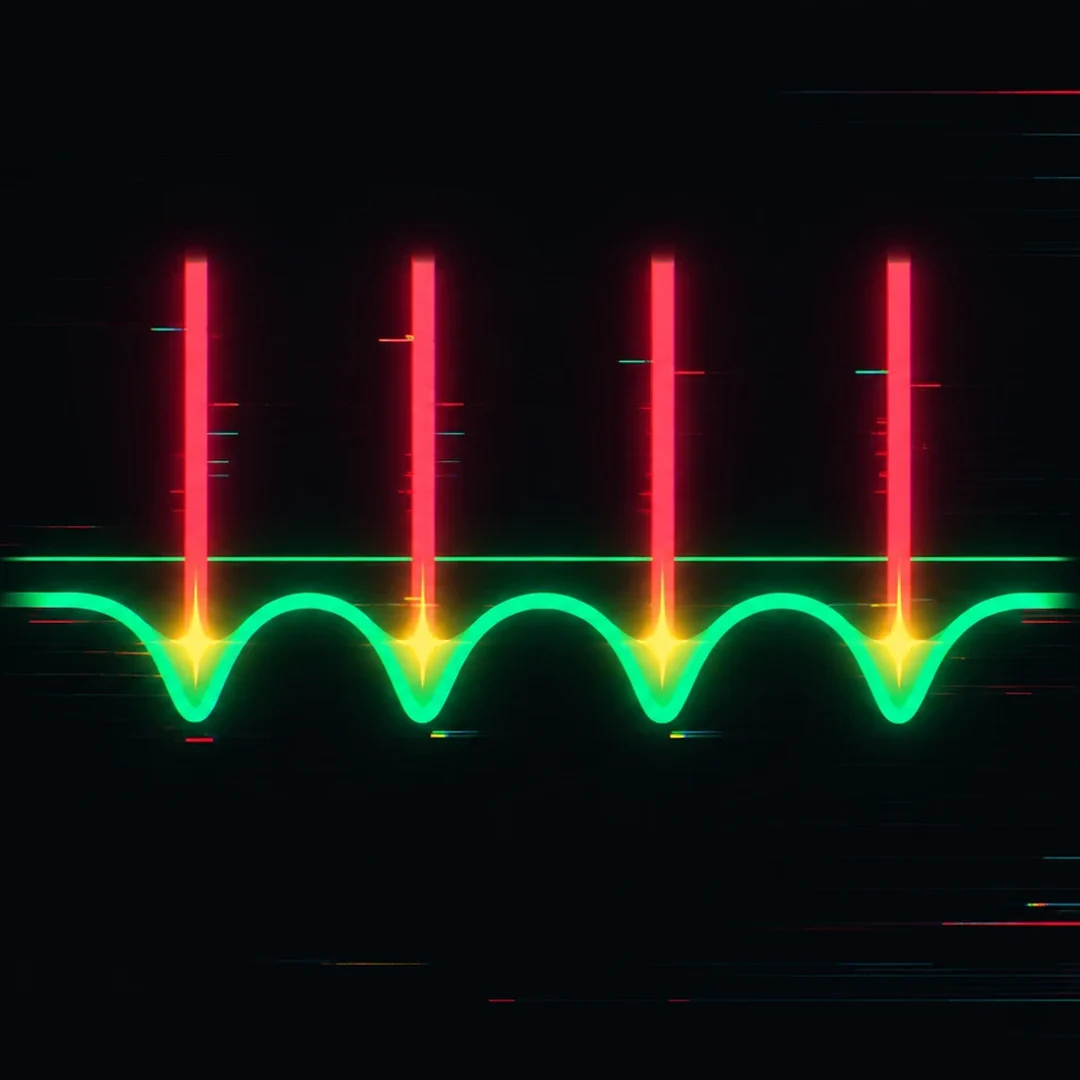
An automatic sidechain listens to your real kick and ducks the bass only in the sub, with a depth measured on your loop and a release set as a fraction of a beat. You skip the routing, the ratio and the release by ear. On three of my loops it set gaps between −6.3 and −10.4 dB with a short, tempo-synced release.
Key takeaways
- Triggered by your real kick, not a curve drawn on the grid.
- Only the sub ducks: the upper bass keeps playing.
- Release set in beats, not milliseconds, so it follows the tempo.
// How to
Sidechain Set in One Click
The automatic sidechain from this guide: no routing, the bass instance hears the real kick and ducks only the sub.
-
Step 01
KICK on the kick, BASS on the bass
One instance per track. The BASS instance listens to the real kick and sets the duck from it.
-
Step 02
Choose the bars, press AUTO MIX
Loop 1, 2 or 4 bars and press AUTO MIX. Depth, release and band are set with the phase and levels.
-
Step 03
Listen, then fine-tune
Flip A/B on the same beat. Lower AMOUNT to soften it, or add a pump with DUCKING if the track wants one.
A sidechain that follows your real kick, below 130 Hz only, with the release synced to the tempo.
See the pluginSidechain is the first thing most producers reach for when kick and bass fight. Route the kick into a compressor on the bass, set a ratio, guess a release, then spend the next half hour wondering why the low end pumps on some bars and smears on others. It works, but every part of it is manual: the routing, the depth, the release and the band it acts on.
An automatic sidechain does the same job from the other end. It listens to your real kick, measures how much the bass needs to step back, sets the release from the tempo and leaves everything above the sub alone. This guide explains what that means in practice, how it differs from a drawn volume curve, and what the numbers look like on real loops.
What an Automatic Sidechain for Kick and Bass Does
The short version: every time the kick hits, the bass gets out of the way in the sub, then comes back in time with the groove. You do not route anything, you do not set a ratio, and you do not tune the release by ear. Three things are set for you:
- The depth: how far the bass drops under the kick, measured from your own kick and bass.
- The release: how fast the bass comes back, set as a fraction of a beat so it follows the tempo.
- The band: only the sub is ducked. The upper part of the bass, where the character lives, keeps playing.
The Usual Sidechain Setup and Where It Goes Wrong
The classic method uses a compressor on the bass with the kick routed into its sidechain input. It is a good tool, and it is also where most low-end problems start.
Routing Takes Time in Every DAW
Every DAW handles sidechain routing differently: a send to an input, a dropdown in the plugin header, a separate bus. Once the session grows, it is easy to trigger from the wrong track, or from a kick that has already been processed, layered or bused with something else.
Release by Ear Rarely Matches the Tempo
Release is set in milliseconds, but the groove lives in beats. A release that feels right at 124 BPM is too long at 145 BPM, and the bass starts coming back on top of the next kick. Most producers tune it once and never touch it again when the tempo changes.
Full-Band Pumping Takes the Bass With It
A plain compressor ducks the whole bass signal. The sub drops, which is what you wanted, but so do the mid-bass harmonics that make the bass audible on small speakers. The result is a bassline that pumps where it should not and thins out on phones and laptops.
Automatic Sidechain vs a Drawn Volume Curve
There are three common ways to make room for the kick, and each one has its place:
- Compressors with a sidechain input react to the kick, but you set every parameter by hand and they act on the full band unless you add filters.
- Volume shapers (LFO tools) draw a fixed curve that repeats on every beat. Simple and predictable, but the curve does not know where your kick actually is.
- Frequency-ducking plugins duck only part of the spectrum, usually with manual settings for depth and timing.
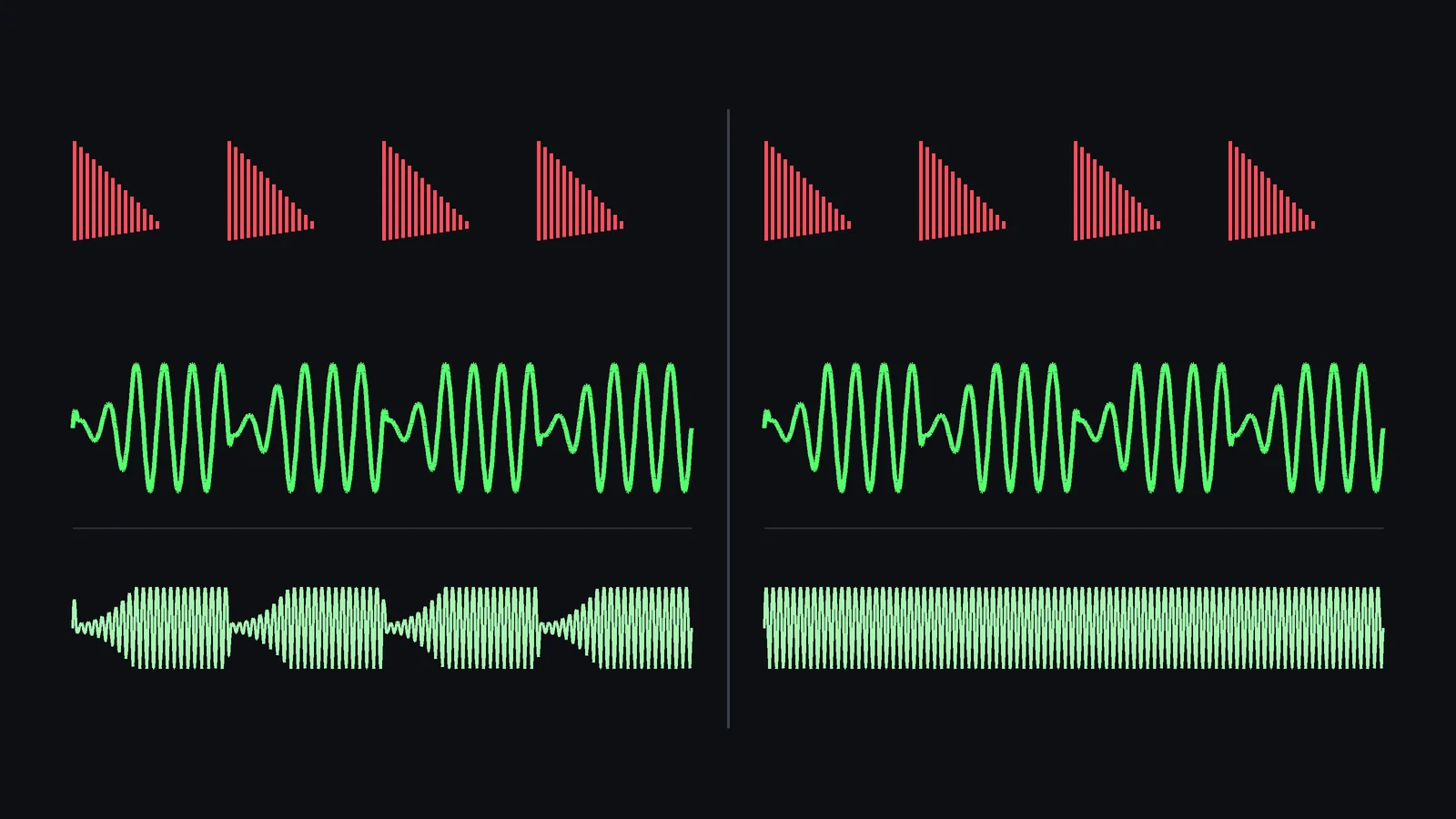
The difference that matters is the trigger. A drawn curve plays the same shape on every beat, whether the kick is there or not. It keeps pumping through a break where the kick drops out, and it does not follow a kick that is longer, shorter or slightly off the grid. A sidechain triggered by the real kick responds to the kick you actually have, beat by beat, including fills and ghost notes.
A fixed curve is still useful as an effect. A constant pump on every beat is part of the sound of many house and techno records. The point is to use it on purpose, not as the fix for kick and bass fighting.
How Deep Should Kick and Bass Sidechain Be?
There is no single right number. It depends on how long the kick tail is, how dense the bassline is and how much the two overlap. That is why it makes sense to measure it per loop instead of using a preset. Here is what an automatic sidechain set on three loops from my own productions, in the plugin’s own readouts:
| Loop | Gap after the kick | Release |
|---|---|---|
| Psytrance, 142 BPM, rolling bass | −9.1 dB | Not shown in this view |
| High-tech minimal, 125 BPM | −10.4 dB | 1/16 beat |
| Techno, 125 BPM, rolling bass | −6.3 dB | 1/16 beat |
The gap is how far the sub of the bass sits below its normal level right after the kick. The three loops landed between about 6 and 10 dB, and none of them needed a long release: the bass comes back quickly, so the roll and the groove survive. In all three, the manual DUCKING knob was at 0%, so these numbers come from the automatic sidechain alone.
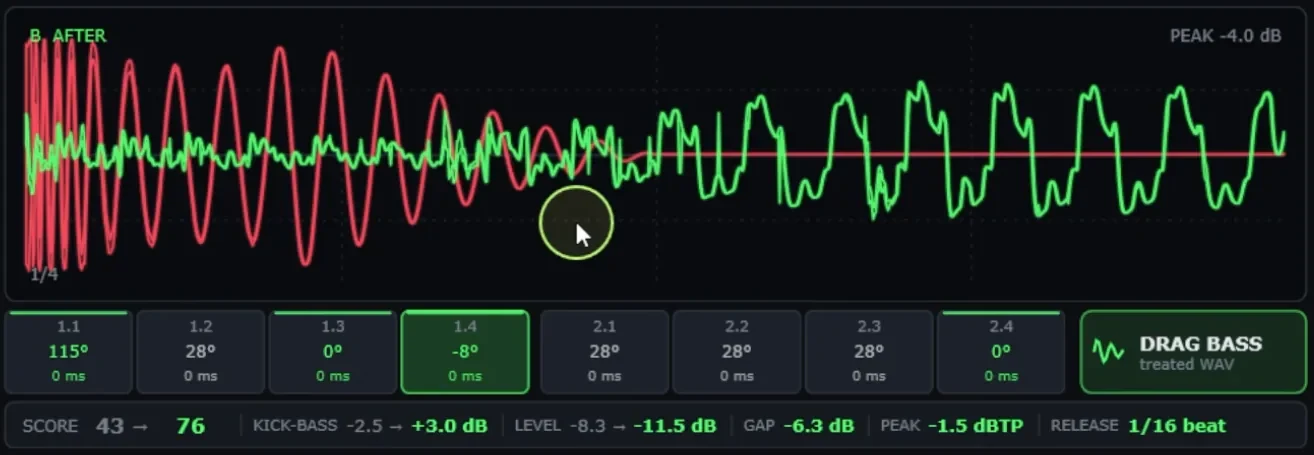
In the techno example above you can see it in the waveform: the bass stays small while the kick tail rings, then comes back to full size as soon as the tail fades. The duck follows the kick, not a grid.
// Hear it
Hear the Sub Make Room for the Kick
Press play and flip between BEFORE and AFTER. This is the full AUTO MIX: sidechain, phase and levels together, on a loop from my own productions.
Why Sidechain and Phase Work Together
Sidechain and phase solve different halves of the same problem. The duck lowers the bass while the kick hits. Phase decides what happens in the part that is left, and in the moment the bass comes back.
Even with a deep duck, some of the bass is still there under the kick tail, and it returns while the tail is still ringing. If the two are out of phase at that point, they cancel, and the kick sounds thinner than it should even though the sidechain is doing its job. That is why a deeper duck often feels like the fix: it hides the cancellation by removing more bass. It also removes more of the groove.
With the phase aligned first, the bass that remains under the kick adds to it instead of fighting it. The duck can then be lighter, and the bassline keeps more of its movement. On a dense bassline the alignment has to change from beat to beat, which is covered in How to Align Kick and Bass Phase in One Click.
Common Sidechain Mistakes With Kick and Bass
- Ducking deeper to fix a phase problem. If the kick still sounds thin with a strong duck, check the phase before adding more depth.
- Triggering from the wrong kick. Trigger from the kick that plays in the drop, not from a layer, a bus or a ghost track left in the session.
- A release longer than the gap between kicks. The bass never fully comes back, and the low end sounds smaller than it is.
- Ducking the whole bass when only the sub needs room. To make space for the kick, duck the sub and keep the upper bass. Save full-band pumping for when you want it as an effect.
- Judging only in solo. Set the duck with kick and bass alone, then confirm it in the full mix, where hats and percussion change how the pump feels.
// Manual vs one click
By Hand vs One Click
| Manual | One click | |
|---|---|---|
| Routing | Send the kick to the sidechain input | None: the BASS instance hears the kick |
| Depth | Threshold and ratio by ear | Measured on your loop, 0 to 24 dB |
| Release | Milliseconds, tuned once | 1/16 to 1/4 beat, synced to the tempo |
| Band | Whole bass unless you add filters | Only below 130 Hz |
| Phase | A separate job | Aligned per beat in the same click |
| Time per loop | From a few minutes to an evening | A few seconds, then your ears decide |
How to Set an Automatic Sidechain in One Click
In Kick & Bass Auto Mix, the sidechain is part of AUTO MIX. You load one instance on the kick and one on the bass, loop 1, 2 or 4 bars and press AUTO MIX. The BASS instance listens to the real kick through the link between the two instances and sets the duck from what it hears:
- Only below 130 Hz. The sub ducks, the upper bass keeps playing.
- Depth from 0 to 24 dB, measured on your loop.
- Release from 1/16 to 1/4 beat, synced to the tempo.
The same click also aligns the phase of every beat, balances the levels and keeps the bass mono below 120 Hz, so the duck works on a low end that is already in phase. The full walkthrough is in How to Mix Kick and Bass Automatically.
Fine-Tune With AMOUNT, or Add a Pump With DUCKING
Two controls let you go further, and they do different things:
- AMOUNT scales everything AUTO MIX did, the sidechain included. Lower it if the result feels too strong.
- DUCKING is a separate, manual control: a fixed LFO-style curve on the whole bass, on every beat, with a dry/wet amount. AUTO MIX never sets it and AMOUNT does not scale it. It is there for when you want an audible pump as an effect.

A good order is: run AUTO MIX, listen with A/B, adjust AMOUNT if needed, and only then decide whether the track wants a pump on top. The X button undoes, up to 16 steps.
// Watch
The Sidechain on Real Loops
The walkthrough shows the sidechain that AUTO MIX sets on each loop, together with the phase and the levels.

Kick & Bass Mixed in ONE CLICK (Phase Alignment, Volume, Sidechain) | Kick & Bass Auto Mix VST3/AU
When to Check the Sidechain by Ear
An automatic duck is a starting point you can trust, not a replacement for listening. Check it in three situations:
- Very long kick tails. If the kick rings well past the first 16th, listen to whether the bass comes back too early or too late for the feel you want.
- Breaks and fills. Loop the bars where the kick pattern changes, and run AUTO MIX on the busiest ones.
- After changing the kick or the tempo. The depth and the phase were measured on the old loop. Run AUTO MIX again on the new one.
For the phase side of the same problem, see How to Fix Phase Issues Between Kick and Bass, Step by Step and, for dense basslines, Rolling Bass Phase Problems: How to Fix Them Fast.
// Short clips
Sidechain and Mix in Short Clips
Short clips of the one-click mix, sidechain included, on real loops.
// FAQ
Questions, answered
Is an automatic sidechain a compressor?
Not in the usual sense. It does not need a threshold or a ratio. It listens to the kick and lowers the sub of the bass by a measured amount, then brings it back with a release set in beats. A sidechain compressor can do a similar job, but you set every parameter by hand.
Can I still use my own sidechain on other tracks?
Yes. The duck only acts on the bass track the BASS instance sits on. Pads, synths and the rest of your mix are untouched, so you can keep your own sidechain routing on them.
What if the tempo changes?
The release is set as a fraction of a beat, not in milliseconds, so it stays in time with the groove. After a big tempo change, or a new kick, run AUTO MIX again so the depth and the phase are measured on the new loop.
How deep should kick and bass sidechain be?
It depends on the kick tail and the bassline, which is why it is worth measuring per loop. On three loops from my own productions the automatic sidechain set gaps between −6.3 and −10.4 dB, with short releases.
Why duck only the sub and not the whole bass?
The kick and the bass fight in the sub. The upper part of the bass carries its character and is what you hear on small speakers. Ducking only the sub clears room for the kick without making the bassline pump or thin out.
Is the DUCKING knob the same as the automatic sidechain?
No. DUCKING is a manual, fixed LFO-style curve on the whole bass, for an audible pump as an effect. AUTO MIX never sets it and AMOUNT does not scale it. The automatic sidechain follows the real kick and acts only below 130 Hz.
// Kick & Bass Auto Mix
A sidechain that follows your real kick
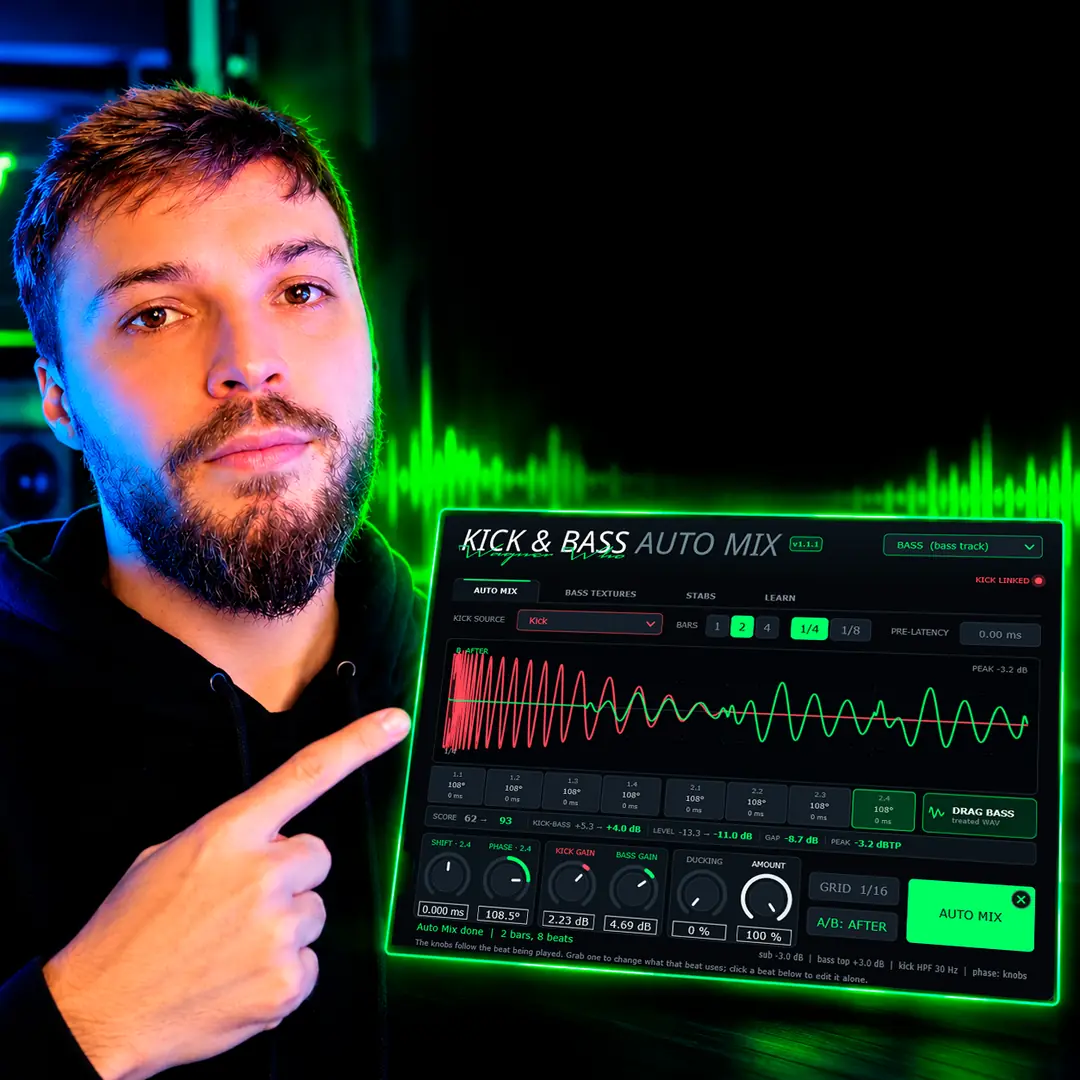
Kick & Bass Auto Mix sets the depth, the release and the band from your own loop, and you keep the final word.
See the plugin
// About the author
// Keep reading

