
// Phase alignment
How to Align Kick and Bass Phase in One Click
The polarity button fixes one note at best. Here is how to align kick and bass phase on every beat, in one click, without moving the groove.
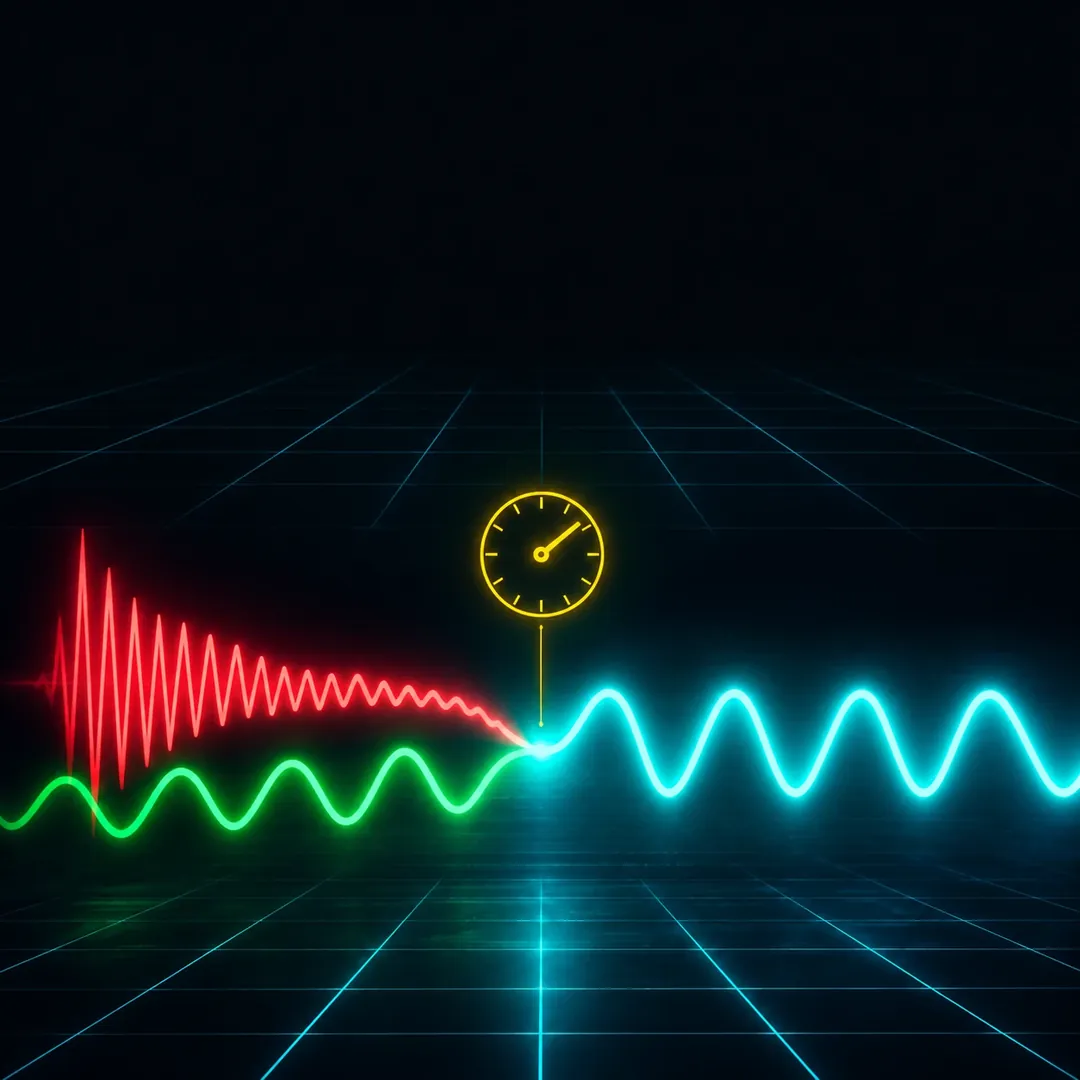
Short answer
To align kick and bass phase automatically, measure each beat where the kick tail overlaps the bass and rotate the bass phase for that beat, instead of flipping polarity or shifting it in time. A per-beat plugin like Kick & Bass Auto Mix does this in one click, so the sub adds up and the groove stays put.
Key takeaways
- Polarity flips and static rotators fix one note; the right angle changes on every beat.
- Rotate the phase, never shift time: the notes keep their exact position.
- On our test loop: +3.5 dB of sub from phase alone, levels matched.
// How to
Three Steps, One Click
The per-beat phase fix from this guide, done by the plugin: two instances, a few bars, one click.
-
Step 01
Load it on the kick and the bass
Drop one instance on the kick channel and set it to Kick. Drop a second one on the bass channel; it links to the kick.
-
Step 02
Pick the bars, click AUTO MIX
Choose 1, 2 or 4 bars, play the loop and click AUTO MIX. Every beat is measured and the bass phase is rotated to fit the kick.
-

Step 03
Read the angle of each beat
Each cell shows the rotation and the time shift for one beat. Click a cell to edit that beat alone, and flip A/B to compare.
Kick & Bass Auto Mix measures every beat and rotates the bass phase to fit the kick, without moving the groove.
See the pluginYou solo the kick, it hits. You solo the bass, it rolls. You play them together and the low end goes soft, as if someone pulled the sub fader down a few dB. Nothing is clipping, nothing looks wrong on the meters, and the fix you learned from tutorials (flip the polarity, nudge the bass, try a phase rotator) helps on one note and makes the next one worse.
That is the problem this guide is about. Kick and bass phase is not one setting for the whole track. It changes with every note the bass plays under the kick. Below you will see why the manual fixes stop at one note, what aligning the phase per beat actually means, and how to do it in one click without moving a single note off the grid.
Why Kick and Bass Cancel Each Other
A kick drum is mostly a short sine sweep. It starts high, falls fast and settles somewhere between 45 and 65 Hz for its tail. A bass in electronic music lives in the same octave. When both play in the same slice of time, your speaker does not play two sounds. It plays one waveform: the sum of the two.
If the kick tail and the bass are moving in the same direction at the same moment, the peaks add up and the sub gets bigger. If they move in opposite directions, the peaks cancel and the sub gets smaller. Engineers call this phase: where each wave is in its cycle at a given instant. Two waves at similar frequencies, 180° apart, can remove most of each other.
The tricky part is that you rarely hear the cancellation as a sound. You hear it as an absence. The kick feels thinner in the mix than in solo, the bass loses weight right on the downbeat, and the natural reaction is to boost both. That costs headroom and still does not bring the punch back, because the energy is not missing from either track. It is being lost when they meet.
// Try it
Turn the phase, watch the sub
Red is the kick, green is the bass, cyan is what your speaker plays. Turn the bass phase and see the low end grow or vanish.
Simplified model: one kick hit over a steady bass note at the same pitch.
Why the Manual Fix Stops at One Note
There are three classic ways to fix kick and bass phase by hand. All three work. All three share the same limit.

The polarity flip
The polarity button (often labelled Ø or “invert phase”) turns the bass waveform upside down. If the bass was close to 180° away from the kick, flipping it puts it close to 0° and the sub comes back. It is fast and free.
But a polarity flip is a single 180° move applied to the whole track. It can only help the notes that happened to sit near 180°. A note that was at 90° stays at 90° after the flip, just on the other side. A note that was already in phase is now out of phase. On a bassline that moves (and in psytrance, techno and house most of them do), you trade one problem note for another.
Nudging the bass in time
The second trick is to slide the bass a few milliseconds earlier or later until the low end feels right. Sometimes this works on a loop. The cost is the groove: a rolling bassline lives on its exact position against the kick, and a few milliseconds is enough to change the feel. Worse, a time shift moves every frequency by the same amount of time, which means a different phase angle at every frequency. You fix the fundamental and smear the attack.
A static phase rotator
An all-pass phase rotator is the cleanest of the three. It changes the phase angle of the low end without moving the notes in time. Producers dial it in by ear until the sub peaks, and it is a real improvement over the polarity button because it can land on any angle, not just 0° or 180°.
The limit is the word static. You set one angle for the whole track. That angle is right for the note you were listening to while you turned the knob. When the bass changes note, the relationship with the kick tail changes too, and the best angle moves with it. Automating the rotator note by note is possible, but on a 16-bar loop that is dozens of moves, each one checked by ear.
Every manual fix sets one answer for a question that changes on every beat.
What “Per Beat” Phase Alignment Means
Per beat alignment treats each kick hit as its own small mix problem. For every beat, the question is the same: during the time the kick tail overlaps the bass, which phase rotation of the bass makes the sum strongest and cleanest? The answer is an angle, and it can be different on beat 1, beat 2 and beat 3.
In practice that means three things:
- Measure where it matters. The kick only overlaps the bass for a short window after each hit. In our test loop the kick tail ended about 200 ms into a 423 ms beat. That window is where the phase decision is made.
- Rotate, do not shift. The bass is rotated in phase so the notes keep their exact timing. The groove you programmed is the groove you hear.
- One angle per beat. Each beat gets the rotation that fits it. On a repeating loop the angles can all match. On a bassline that changes notes, they will not.
Done by hand, that is a phase rotator automated on every beat and checked by ear. Done by a plugin built for it, it is the same idea in a few seconds.
How to Align Kick and Bass Phase in One Click
Here is the workflow with Kick & Bass Auto Mix, a VST3/AU plugin that measures each beat and rotates the bass phase to fit the kick. It runs in Ableton Live, FL Studio, Cubase, Reaper, Bitwig, Logic Pro and any DAW that loads VST3 or AU plugins.
1. Load one instance on the kick and one on the bass
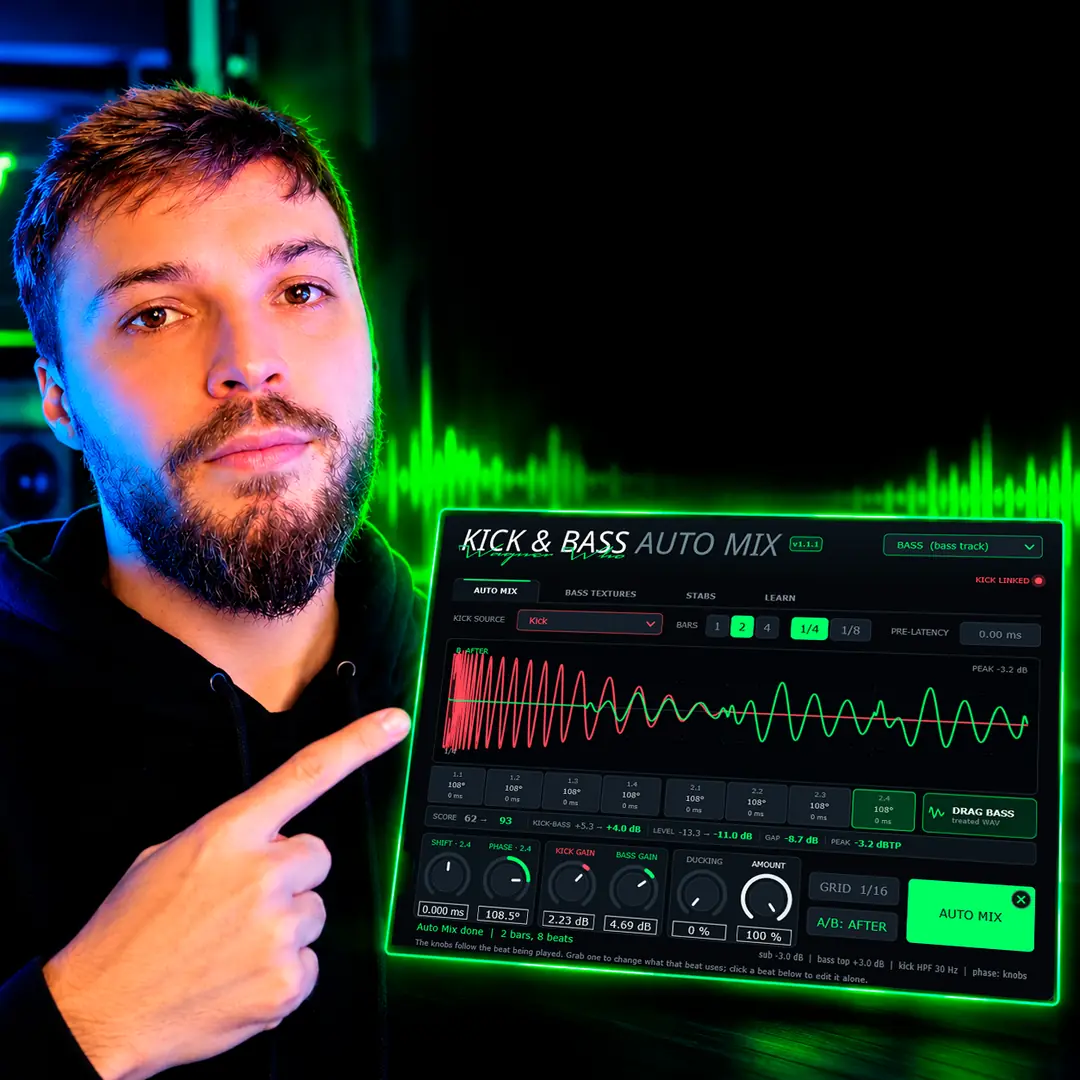
Drop the plugin on your kick channel and set it to Kick. Then drop a second instance on your bass channel. In the bass instance, KICK SOURCE points to the kick instance and the KICK LINKED light turns on, so it can hear both tracks. Audio tracks work best; if your bass is a MIDI synth, render a loop to audio first.
2. Pick the bars and click AUTO MIX
Choose how many bars to analyse (1, 2 or 4) and the grid (1/4 for one cell per beat). Play the loop, then click AUTO MIX. The plugin measures every beat in the selected bars and sets the phase, the kick and bass volumes and a sidechain for the sub. If you only care about phase, you can still adjust or reset the volumes afterwards.
3. Read the angle of each beat
Under the waveform you get one cell per beat: the beat number, the rotation it received and the time shift. On our psytrance loop every cell reads 108° and 0 ms. The knobs follow the beat being played, so you can grab one to change what that beat uses, or click a cell to edit that beat alone. The A/B button switches between the original and the treated sound at matched timing, which makes the difference easy to judge.
When it sounds right, drag the treated bass out of the plugin as a WAV, or just leave the plugin on the channel.
// Watch
Phase Alignment on Real Loops
The walkthrough shows the same per-beat alignment on psytrance, techno and a triplet bassline, with the angle of every beat on screen.

Kick & Bass Mixed in ONE CLICK (Phase Alignment, Volume, Sidechain) | Kick & Bass Auto Mix VST3/AU
Rotation, Never a Time Shift
This is the part that keeps the groove intact, so it is worth understanding.
A time shift moves the whole waveform earlier or later. Every frequency moves by the same number of milliseconds, which means the phase change is different at every frequency: small in the sub, large in the mids. It also moves the note start, which is exactly what the groove is made of.
A phase rotation works the other way around. It changes the phase angle of the low end while the note starts stay where they are. The bass still begins on the same sixteenth, still sits in the same pocket against the hi-hats, and still lines up with every other element you programmed. Only its relationship with the kick tail changes.
That is why the cells in the plugin show both numbers. On our loop the shift column reads 0 ms on every beat: the alignment came entirely from rotation. If you want to experiment, the SHIFT knob is there, but it is not needed for the result.
Does it add latency?
Yes, and it is worth saying plainly. The bass instance needs a short look-ahead to process the low end, about 81 ms. Your DAW reports and compensates that delay automatically, so the bass stays in sync with everything else. The kick instance adds no latency. If you play a bass synth live through the plugin, you will feel the delay, so treat it as a mixing tool, not a tracking tool.
Before and After on a Rolling Psytrance Loop
Numbers are easy to fake, so here is exactly how we measured ours.
The test is a classic rolling psytrance kick and bass, two bars at 142 BPM. We exported four stems: kick and bass before the plugin, kick and bass after. To hear phase alone, we matched the level of the treated stems to the originals, so volume changes from AUTO MIX do not count. Then we filtered everything to the 30 to 120 Hz band and compared the first 200 ms of each beat, where the kick tail and the bass overlap.
| Measure (30 to 120 Hz) | Before | After |
|---|---|---|
| Kick vs bass correlation, overlap window | −0.43 | +0.38 |
| Summed sub level, overlap window | reference | +3.5 dB |
| Kick vs bass correlation, whole loop | −0.14 | +0.13 |
| Phase rotation per beat | none | 108° |
| Time shift per beat | none | 0 ms |
Correlation runs from −1 (the two signals cancel) to +1 (they reinforce). Before, the kick tail and the bass were working against each other in the overlap. After, they work together, and the sum is 3.5 dB louder in the sub with the levels matched. That is free headroom: you get a bigger low end without turning anything up.
The plugin’s own SCORE went from 62 to 93 on the same loop. On this bassline every beat repeats the same note pattern, which is why all eight cells landed on 108°. On a bassline that changes notes from beat to beat, you will see different angles in the cells.
Use the player at the top of this page to hear it on the same loop, and the chart to see the waveforms. Headphones or monitors with real low end help: on laptop speakers most of this band is simply not reproduced.
// Hear it
Hear a Per-Beat Phase Fix
Press play and flip between BEFORE and AFTER on a rolling psytrance loop. Only the phase of the bass changes, beat by beat, with the levels matched, so what you hear is the alignment alone.
// Real data
What changed in our test loop
−0.43 → +0.38
Kick vs bass correlation in the overlap, 30 to 120 Hz
+3.5 dB
Summed sub from phase alone, levels matched
108°
Rotation per beat on this loop
0 ms
Time shift: the groove is untouched
When to Still Do It by Hand
An honest guide should say where the one-click approach is not the whole answer.
- A bad sound is still a bad sound. Phase alignment makes two good low-end parts work together. If the kick tail and the bass fight in pitch (the kick tail sits a semitone away from the root of your bassline), tune the kick first.
- Sustained sub under a long kick. If your kick tail is longer than the beat and the bass plays long notes under it, the overlap window covers most of the beat. Alignment still helps, but a shorter kick tail or a tighter sidechain may help more.
- Bars outside the analysis. The per-beat angles apply to the bars you analysed. The rest of the track uses the dominant setting from that analysis. If a different section has a different bassline, analyse that section too.
- Taste. Sometimes a little cancellation is what makes a kick feel tight. The A/B button and the per-beat knobs are there so the final call stays yours.
// Manual vs one click
Manual Fixes vs Per-Beat Alignment
| Manual | One click | |
|---|---|---|
| What it fixes | One note, or one angle for the whole track | Every analysed beat gets its own angle |
| Groove | Nudging moves the notes off the grid | Rotation only, 0 ms shift |
| Bassline changes | Re-check every note by ear | Measured per beat, shown in a cell |
| Time per loop | Minutes to hours of automation | A few seconds |
| Latency | None | About 81 ms on the bass instance, compensated by the DAW |
| Control | Full, by hand | Every beat editable, A/B to compare |
Quick Checklist
- Check the low end in mono. Kick and bass phase problems are a mono problem first.
- Listen on speakers or headphones that reproduce 40 to 80 Hz.
- Tune the kick tail to the key of the bassline.
- Align the phase per beat, with rotation, not time shifts.
- Then set volumes and sidechain, not before. Gain decisions made on a cancelling low end are wrong by a few dB.
- Compare A/B at matched loudness before you commit.
If you want to align the phase of every beat automatically, without moving the groove, that is what Kick & Bass Auto Mix was built for. If you prefer to do it by hand, the method above still works: measure the overlap, rotate instead of shifting, and give each beat its own answer.
// Short clips
One Click, in Under a Minute
Short clips of the plugin on real loops: load it, press AUTO MIX, hear the kick come back.
// FAQ
Questions, answered
Can you hear phase rotation?
On a solo bass, a rotation in the sub is very hard to hear. What you hear is the result when the bass plays with the kick: a fuller, steadier low end on each hit instead of a thin one. That is why the before and after only make sense with both tracks playing.
Does phase alignment add latency?
Yes. The bass instance of Kick & Bass Auto Mix uses about 81 ms of look-ahead. Your DAW reports and compensates it, so everything stays in sync. The kick instance adds no latency. Use it while mixing, not while playing a synth live.
Why is the angle different on every beat?
Because the bass under each kick can be a different note, or the same note at a different point in its cycle. The best rotation depends on how the kick tail and the bass meet on that beat. On a loop that repeats the same pattern, like our psytrance test, the angles can all match.
Which bars get the per-beat phase?
The bars you analyse. The rest of the track uses the dominant setting from that analysis. If another section has a different bassline, analyse that section too.
Is it better than flipping polarity?
A polarity flip is a single 180° move for the whole track, so it only helps notes that were close to 180° out. Per-beat rotation can land on any angle, on every beat, so it also fixes the notes a flip would make worse.
Will it change my groove?
No. The alignment is a phase rotation, not a time shift. On our test loop every beat shows 0 ms of shift: the notes start exactly where you programmed them.
// Kick & Bass Auto Mix
Align Kick and Bass on Every Beat
Kick & Bass Auto Mix measures each beat and rotates the bass phase to fit the kick, without moving the groove.
See the plugin
// About the author