// Sub bass vs mid bass
Sub Bass vs Mid Bass: Who Does What in the Mix
Sub bass is felt, mid bass is heard. The frequency range and role of each, how to process them, and how to make them work as one bass under the kick.
Short answer
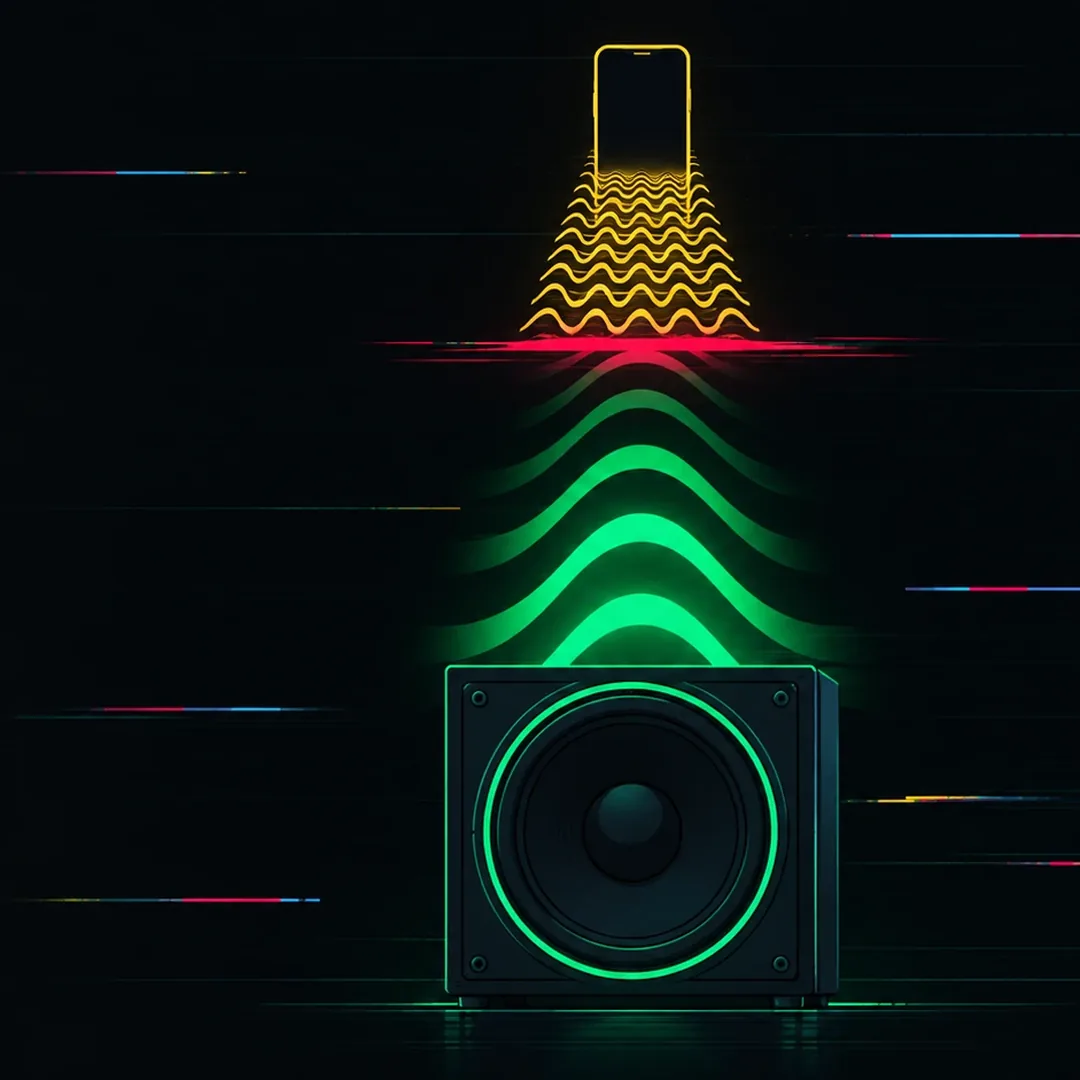
Sub bass is the range from about 20 to 60 Hz, the weight you feel on big systems. Mid bass is roughly 120 to 500 Hz, the harmonics that carry the notes and the tone, and the part most phones and laptops can still play. A good bass needs both: a clean, mono sub that sits under the kick, and a mid bass that keeps the bassline audible everywhere else, with a handover between them around 100 to 150 Hz.
Key takeaways
- The sub is felt, the mid bass is heard: on a phone, only the mid bass survives.
- Keep the sub mono and clean; give the color and width to the mid bass.
- The handover sits around 100 to 150 Hz; Kick & Bass Auto Mix splits at 130 Hz.
// How to
A Mid Layer in Three Steps
The clean sub and the mid bass layer from this guide, set by the plugin on your own bass.
-
Step 01
Load it on the kick and the bass
Drop one instance on the kick channel and set it to Kick. Drop a second one on the bass channel; it links to the kick.
-
Step 02
Click AUTO MIX for a clean sub
Choose 1, 2 or 4 bars and click AUTO MIX. The sub is set mono below 120 Hz and ducked under the kick, and the bass above 130 Hz is balanced against it.
-
Step 03
Switch on BASS TEXTURES
Turn TEXTURES ON for a mid bass layer that follows your notes, wide on top and mono underneath. Roll the dice or shape it.
Kick & Bass Auto Mix keeps the sub mono and ducked under the kick, then adds a mid layer that follows your bass notes.
See the pluginOn a club system, the bass hits you in the chest. On a phone, the same bassline is almost gone, or it turns into a thin buzz. Nothing changed in the track. What changed is which part of the bass the speaker can play: the sub, or the mid bass.
Sub bass and mid bass are two jobs inside one bass sound. This guide covers the frequency range of each, why one is felt and the other is heard, how to process them, where the handover between them sits, and how to make them work as one bass under the kick.
Sub Bass vs Mid Bass: The Ranges
The exact borders move from one engineer to the next, but these ranges are a good working map for electronic music:
| Range | Roughly | What lives there |
|---|---|---|
| Sub bass | 20 to 60 Hz | The fundamental of low bass notes, the kick tail, the weight you feel |
| Low bass | 60 to 120 Hz | The body of the kick and bass, where most kick and bass clashes happen |
| Mid bass | 120 to 500 Hz | The harmonics of the bass, its tone and its notes on small speakers |
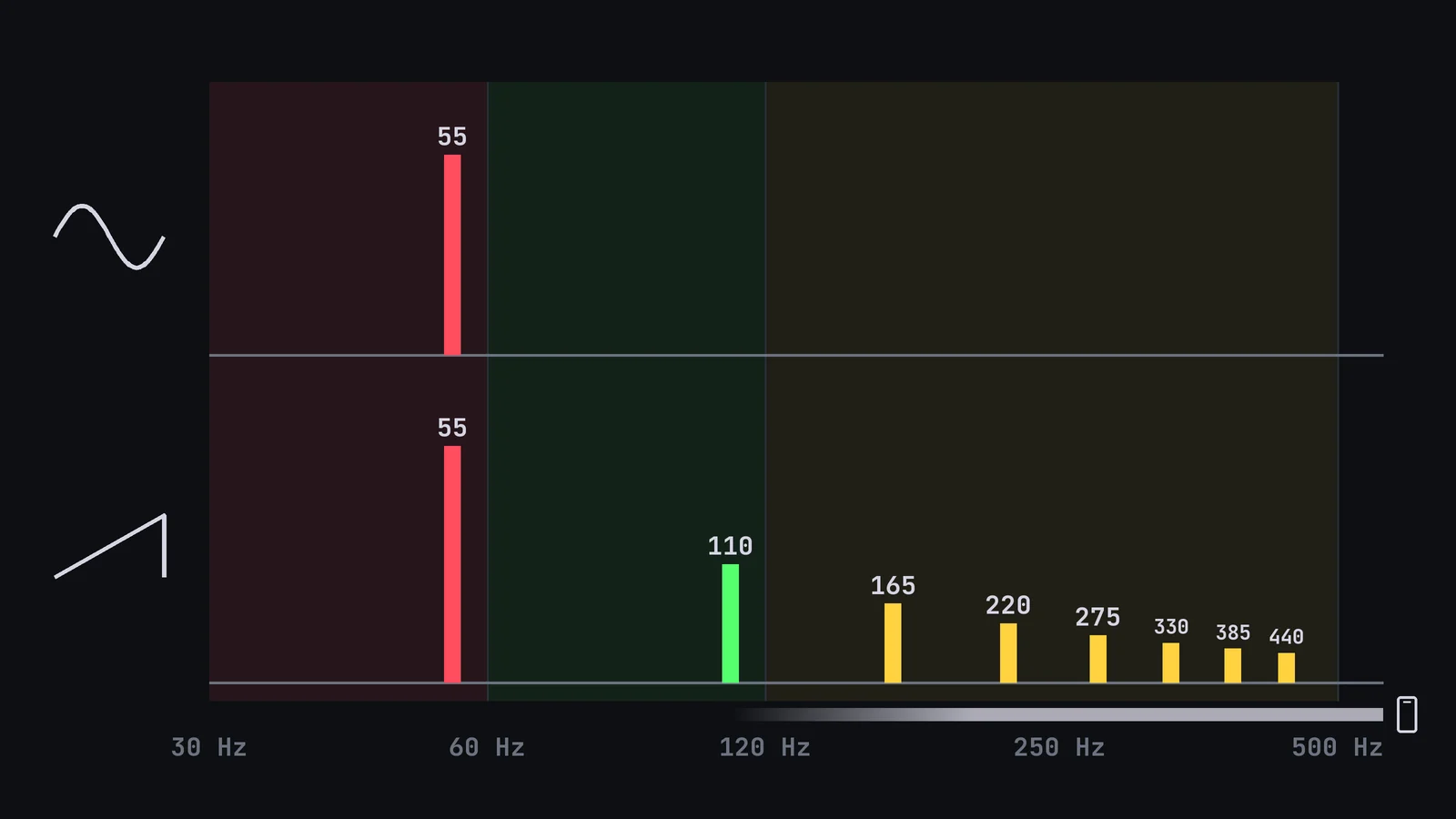
A bass note lives in more than one range at once. An A1 has its fundamental at 55 Hz, in the sub, and its harmonics at 110, 165, 220 and 275 Hz, which reach into the low bass and the mid bass. Which ranges carry energy depends on the sound: a pure sine sits almost entirely in its fundamental, while a saw or a distorted bass fills the harmonics too.
// Sub bass vs Mid bass
Sub Bass vs Mid Bass
| Sub bass | Mid bass | |
|---|---|---|
| Range | 20 to 60 Hz | 120 to 500 Hz |
| Role | Weight you feel | Notes and tone you hear |
| Small speakers | Mostly lost | Still audible |
| Stereo | Mono | Can be wider |
| Processing | Clean, ducked under the kick | Saturation, width, EQ |
| Main risk | Clashing with the kick tail | Boxy buildup at 200 to 400 Hz |
Felt vs Heard: Why Your Bass Disappears on a Phone
The sub is mostly felt. Large speakers and subwoofers move enough air at 40 or 50 Hz to push your chest and the floor. Phones, laptops and small earbuds cannot. Most of them give back very little of the sub, so a bass that lives only there simply vanishes.
The mid bass is what keeps the bass alive on those speakers. When the harmonics of a note are present, the ear rebuilds the missing fundamental from them and still hears the right pitch. That is why a sine sub disappears on a phone while a saw bass on the same note is still clearly there: the saw has harmonics at 110, 165 and 220 Hz, and the sine does not.
So the two ranges do different jobs. The sub gives weight on big systems. The mid bass gives the notes, the groove and the tone everywhere else. A finished bass needs both.
How to Process the Sub
The sub is where kick and bass fight for the same space, so it needs the cleanest treatment:
- Keep it mono below about 120 Hz. Club systems play the sub in mono, and stereo content there can cancel or change size from one system to the next.
- Keep it simple. A sine or a filtered, gently saturated wave is easier to balance than a wide, layered patch.
- Duck only the sub under the kick. A sidechain that moves only the bass below about 130 Hz gives the kick room without pumping the tone. How to set it up is in Automatic Sidechain for Kick and Bass, Synced to Tempo.
- Check the phase against the kick. The sub is where the kick tail and the bass note overlap, and where a phase cancellation costs the most weight.
How to Process the Mid Bass
The mid bass can take more color, because it carries tone, not weight:
- Saturate or distort it to create the harmonics that small speakers need.
- Let it be wider than the sub. A little width above the handover point sounds big without hurting mono playback.
- Watch 200 to 400 Hz. The body of the kick sits there too, and when both are full the mix turns boxy. Decide who owns that range.
- High-pass any extra layer so it does not add a second sub on top of the first one.
// Hear it
Hear a Mid Layer Follow the Bass
Press play and flip between BEFORE and AFTER on a techno loop from my own productions. AFTER adds the BASS TEXTURES mid layer on top of the same kick and bass: the sub stays the same, the notes get easier to hear.
The Handover Point
The handover is the frequency where the sub stops doing the work and the mid bass takes over. In electronic music it usually sits somewhere between 100 and 150 Hz. Below it, everything is mono, clean and ducked under the kick. Above it, the bass can be wider, brighter and more distorted.
Two things matter at the handover. First, the levels: if the mid bass is too quiet, the bass vanishes on small speakers; if it is too loud, it covers the kick body. Second, the phase: when the sub and the mid bass come from two separate sounds, they can cancel each other right at the crossover. Layers that follow the same notes, high-passed above the sub, avoid most of that.
Kick & Bass Auto Mix uses 130 Hz as its split. The sidechain ducks only the bass below 130 Hz, and the tone readout shows the bass top, the part above 130 Hz, relative to its low band, adjusted by up to 3 dB toward the reference ranges.
One Bass or Two Tracks?
You can build the bass as one sound, or as a sub track and a mid bass track. One sound is simpler and keeps the phase between the two ranges intact. Two tracks give more control: a clean sine sub below, and a distorted, wider layer above, each with its own processing.
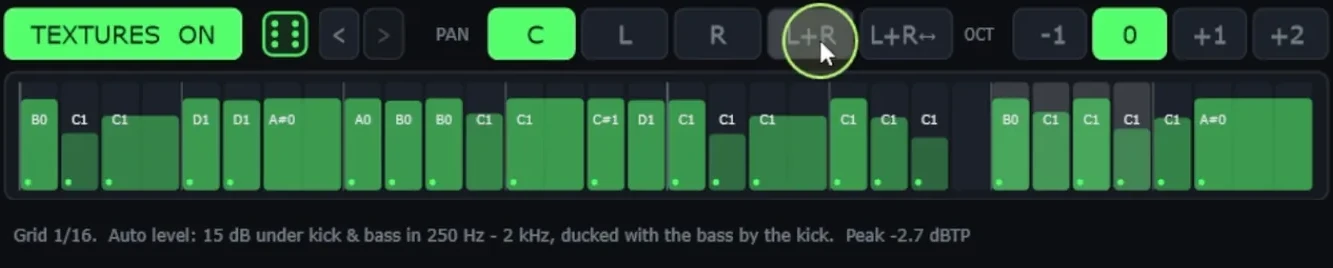
If you split it, keep both tracks playing the same notes, high-pass the mid layer above the sub, and check the sum in mono. The BASS TEXTURES tab in Kick & Bass Auto Mix works this way. It adds a mid bass layer that follows the bass notes and velocities, wide on top and mono underneath, and sets its level automatically, about 15 dB under the kick and bass in the 250 Hz to 2 kHz range, ducked with the bass by the kick. While the textures play, the root bass above 130 Hz is turned down, so the two do not stack.
A Quick Check for Your Bass
- Listen on a phone or a laptop. If the bassline disappears, the mid bass is too weak or missing.
- Switch the master to mono. If the low end changes, the sub has stereo content.
- Solo the sub with a low-pass around 120 Hz and play it with the kick. If the kick gets thinner when the bass plays, check level and phase. The seven usual causes are in Why Your Kick and Bass Clash (and How to Fix It).
- Solo the mid bass with a high-pass around 120 Hz. You should still hear every note clearly.
Fixing the sub, the part that meets the kick, is what Mix Kick and Bass Automatically: One Click, Real Numbers shows step by step.
// Short clips
See the Plugin in Short Clips
Short clips of Kick & Bass Auto Mix on real loops: one click for a clean sub under the kick.
// FAQ
Questions, answered
What frequency is sub bass?
Roughly 20 to 60 Hz. The low bass sits from about 60 to 120 Hz and the mid bass from about 120 to 500 Hz. The borders move a little from one engineer to the next.
Why can't I hear my bass on a phone?
Phone speakers play very little of the sub. If your bass is a pure sine, almost all of it lives there and it disappears. Add harmonics with saturation or a mid layer, and the ear rebuilds the note from them.
Should sub bass be mono?
Yes, below about 120 Hz. Club systems play the sub in mono, and stereo content there can cancel or change size from one system to another. Keep the width for the mid bass.
Do I need separate tracks for sub and mid bass?
No, but it gives more control. If you split them, keep both on the same notes, high-pass the mid layer above the sub, and check the sum in mono.
Where should the sub and the mid bass hand over?
Usually between 100 and 150 Hz in electronic music. Kick & Bass Auto Mix uses 130 Hz: the sidechain ducks only the bass below it, and the bass above it is balanced against the low band.
Is an 808 a sub bass?
Mostly, yes. An 808 is a long, pitched kick whose fundamental sits in the sub. Distortion on the 808 adds mid bass harmonics, which is why distorted 808s still read on small speakers.
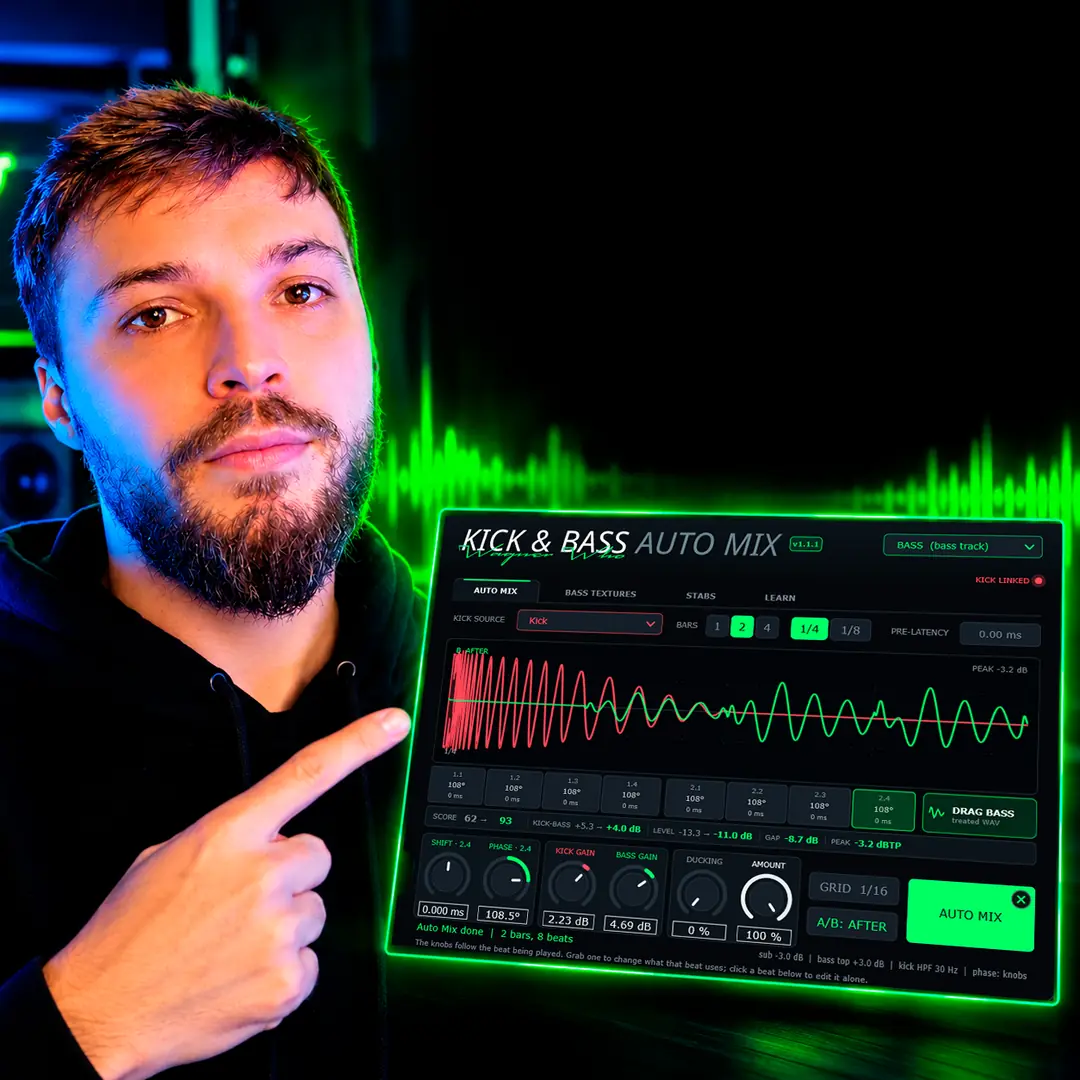
// Kick & Bass Auto Mix
A Mid Layer Small Speakers Can Hear
BASS TEXTURES in Kick & Bass Auto Mix adds a mid bass layer that follows your bass notes, wide on top and mono underneath.
See the plugin
// About the author
// Keep reading